
Ultimate Guide to Workforce Management Software (2026 Rankings)
Workforce management software only pays off when it fixes the real operational mess: understaffed shifts, late approvals, payroll corrections, compliance exposure, manager burnout, and employees who discover schedule changes too late. The best 2026 platforms do more than publish calendars. They connect labor demand, skills, time capture, scheduling rules, payroll, leave, reporting, and workforce communication into one operating system for labor. That matters for every leader studying project management software features, resource allocation, project scheduling, and project success factors.
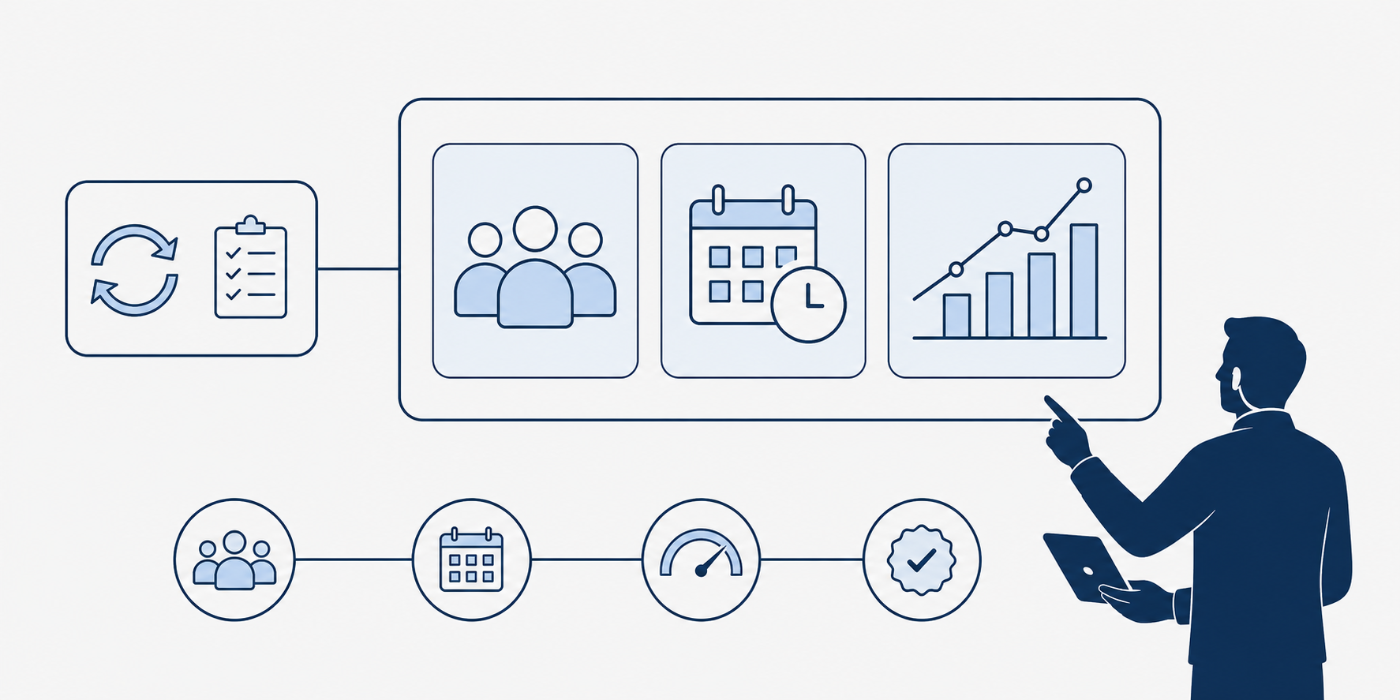
1. What Workforce Management Software Must Solve in 2026
A serious workforce management system should help managers answer five questions before labor problems become expensive: who is needed, when they are needed, whether they are qualified, whether the schedule is compliant, and whether approved hours will flow cleanly into payroll. Platforms such as UKG, Workday, ADP, Dayforce, Oracle, SAP SuccessFactors, Paycom, Rippling, Paylocity, Deputy, Homebase, Connecteam, When I Work, BambooHR, Zoho, and NICE approach that problem from different angles, but the strongest tools combine scheduling, time capture, leave, labor cost visibility, employee self-service, alerts, and payroll-ready approvals. UKG describes its workforce management platform around scheduling, time, attendance, compliance, AI-powered insights, and real-time visibility; Workday positions scheduling and labor optimization around demand, availability, worker preferences, and skills; ADP Workforce Now combines HR, time, payroll, and benefits in one suite.
The buying mistake is treating workforce management like a calendar purchase. A calendar can show shifts. A workforce platform should prevent costly labor mismatches before they hit customers, patients, field crews, stores, production floors, call queues, or payroll. The difference is the same gap APMIC explains in project failure root causes, project monitoring and control, earned value management, and project financial management: weak inputs create ugly downstream numbers. A bad schedule becomes overtime. A missed punch becomes payroll cleanup. A vague leave rule becomes a compliance dispute. A disconnected labor plan becomes a manager’s Sunday-night spreadsheet.
For 2026 rankings, the best tool depends on workforce shape. Enterprise teams need advanced forecasting, labor rules, audit trails, integration depth, and configuration control. Multi-location hourly teams need fast scheduling, shift swaps, mobile time clocks, team messaging, and labor cost warnings. Professional services teams need utilization, project tracking, approvals, and payroll allocation. Contact centers need interval forecasting, adherence, intraday reforecasting, and service-level modeling; NICE, for example, focuses on forecasting, scheduling, adherence, and workforce planning across voice and digital channels. That is why this guide ranks software by operational fit, the same way a strong PM evaluates vendor management, procurement terms, contract management, and risk registers.
| Capability | What “Good” Looks Like | Business Impact | Signals / Tools | Who You Align With |
|---|---|---|---|---|
| Demand forecasting | Uses history, seasonality, appointments, sales, volume, backlog, or project load to predict staffing need. | Fewer coverage gaps | Forecast model, demand drivers, trend overrides | Operations, finance, PMO |
| Shift scheduling | Creates conflict-aware schedules around availability, labor budgets, skills, roles, locations, and rules. | Cleaner execution | Schedule builder, templates, rule checks | Store, site, department managers |
| Time capture | Supports mobile, web, kiosk, clock terminal, geofence, biometric, or approved-location punches. | Fewer payroll disputes | Time clock, punch rules, device controls | Payroll, HR, legal |
| Payroll sync | Approved hours, overtime, differentials, and allocations flow into payroll with minimal re-entry. | Lower correction cost | Payroll connector, pay rule mapping | Payroll, finance |
| Leave management | Time off, PTO, sick leave, accruals, blackout dates, and coverage impact are visible inside scheduling. | Better coverage planning | Leave calendar, balances, approvals | HR, managers |
| Compliance rules | Meal breaks, rest periods, overtime, fair scheduling, union rules, minors, and local labor rules trigger alerts. | Lower legal exposure | Rule engine, audit log, exception reports | Legal, HR compliance |
| Labor budgeting | Managers see scheduled labor cost against budget before schedules are published. | Lower overtime leakage | Budget line, overtime warnings | Finance, operations |
| Skills matching | Schedules qualified employees for required work instead of filling shifts by availability alone. | Higher service quality | Skill tags, certifications, role rules | Training, department heads |
| Employee self-service | Employees can view schedules, request leave, swap shifts, clock in, and receive updates on mobile. | Less manager chasing | Mobile app, notifications, shift swap workflow | Frontline employees |
| Manager alerts | Late punches, overtime risk, missed breaks, unapproved hours, and understaffed periods create real-time alerts. | Faster intervention | Push alerts, dashboards, exception queues | Line managers |
| Multi-location control | Central policies stay consistent while local managers can schedule around site-specific demand. | Scalable governance | Location hierarchy, permission model | Regional leaders |
| Project allocation | Hours can be allocated to projects, jobs, grants, clients, cost centers, or work orders. | Cleaner cost reporting | Job codes, labor allocation, project tags | PMO, finance |
| Reporting depth | Reports show attendance, labor cost, overtime, absence patterns, forecast accuracy, and schedule adherence. | Better decisions | Dashboards, exports, scheduled reports | Executives, analysts |
| Audit readiness | Every approval, edit, punch correction, rule override, and schedule change is traceable. | Stronger defensibility | Audit trail, role-based permissions | Legal, compliance |
| Integration maturity | Connects cleanly with HRIS, payroll, ERP, POS, EHR, finance, project tools, and identity systems. | Less manual work | APIs, marketplace, native connectors | IT, enterprise architecture |
| Implementation speed | Can be configured quickly without hiding rule complexity under “standard setup.” | Faster value | Templates, migration tools, onboarding support | Implementation lead |
| Change management | Managers and employees understand new workflows before old spreadsheets disappear. | Higher adoption | Training plan, launch comms, champions | HR, PM, communications |
| Mobile reliability | The mobile app handles schedule viewing, requests, approvals, notifications, and punches without friction. | Higher frontline usage | App ratings, offline mode, device policy | Deskless workers |
| Forecast governance | Managers can adjust forecasts with documented reasons instead of quietly overwriting the model. | Better planning discipline | Forecast overrides, notes, variance reports | Operations planning |
| Schedule fairness | The platform supports preference balancing, fatigue controls, predictable schedules, and transparent rules. | Lower turnover risk | Preference engine, fatigue alerts | HR, employee relations |
| Security controls | Role access, SSO, device controls, privacy policies, and data retention are reviewed before go-live. | Lower data risk | SSO, MFA, SOC reports, access logs | IT security |
| AI usefulness | AI recommends actions managers can understand, accept, reject, and audit. | Smarter decisions | Explainable recommendations, confidence signals | Operations, PMO |
| RFP clarity | The buying team tests real rules, real schedules, real pay codes, and real exceptions during demos. | Fewer bad purchases | SOW checklist, demo script, scoring model | Procurement, PM |
| Exception workflow | Missed punches, late arrivals, early exits, and break violations route to the right approver fast. | Cleaner payroll close | Exception queue, approval routing | Payroll, managers |
| Workforce communication | Schedule changes, open shifts, policy updates, and reminders reach employees without scattered texts. | Fewer no-shows | Team chat, announcements, read receipts | Managers, employees |
| Scalability | The platform can handle more employees, locations, rules, departments, and integrations without redesign. | Lower replatform risk | Org hierarchy, global settings | Executives, IT |
| Total cost clarity | Pricing includes modules, time clocks, implementation, support, payroll add-ons, and integration work. | Fewer surprises | Quote model, renewal terms, add-on list | Finance, procurement |
| Success metrics | The rollout has baseline and target metrics for overtime, payroll corrections, absence, adoption, and schedule accuracy. | Proof of ROI | KPI dashboard, launch scorecard | PMO, sponsors |
2. 2026 Workforce Management Software Rankings: Best Platforms by Use Case
1. UKG Pro Workforce Management — best for enterprise frontline complexity. UKG is the strongest choice for large organizations that need scheduling, time and attendance, compliance support, global scalability, real-time visibility, and AI-guided workforce decisions in one mature platform. It fits healthcare systems, public sector teams, manufacturing, retail, logistics, and large service organizations where labor rules are dense and manager mistakes become expensive. UKG’s public materials emphasize scheduling, time, attendance, compliance, AI recommendations, and real-time insights, which makes it a serious contender for teams studying government project management careers, healthcare project management, project governance, and PMO success.
2. Workday Scheduling and Labor Optimization — best for Workday-centered enterprises. Workday deserves a top ranking when the organization already runs Workday HCM and wants workforce scheduling connected to worker data, skills, availability, preferences, demand, and financial planning. Workday describes optimized shift schedules and worker assignments based on fluctuating labor needs, and its labor optimization materials discuss AI-supported scheduling across preferences and business constraints. This is valuable for PM leaders who care about AI in project management, machine learning in estimation, future project management software, and portfolio management trends.
3. Dayforce — best for time, pay, scheduling, and compliance on one people platform. Dayforce is a strong fit for organizations that want workforce management close to payroll, benefits, HR, talent, and compliance. Its time and attendance page emphasizes simplified time tracking, pay accuracy, and employee attestations around items such as meal breaks or shift changes; its scheduling page highlights demand, labor budgets, preferences, rules, predictive forecasts, and compliance management. That combination matters when leaders are trying to reduce payroll friction, the same pain APMIC readers see in project budgeting, cost management, project execution terms, and project closure.
4. ADP Workforce Now with time and attendance — best for midmarket HR-payroll alignment. ADP Workforce Now works well for organizations that want HR, payroll, time, benefits, and workforce data tied together under a widely adopted HR-payroll brand. ADP describes Workforce Now as an AI-powered solution covering HR, time, payroll, and benefits, while its time and attendance page presents cloud-based time tracking and scheduling designed to control costs, improve compliance, and enhance productivity. Choose ADP when the main pain is payroll cleanliness and HR centralization, especially for teams also building maturity in communication management, stakeholder engagement, human resource management, and team building.
5. Oracle Workforce Management — best for complex enterprise ERP and operational data. Oracle is valuable when workforce scheduling, time, labor, leave, payroll, finance, and personnel data need to connect across a large enterprise stack. Oracle describes its workforce management offering as an integrated HR solution linking time, labor, scheduling, leave management, payroll, financial, and personnel data, while its workforce scheduling page highlights labor forecasting, real-time labor demand visibility, and recommended workers based on availability and skills. This makes Oracle compelling for leaders working across project portfolio management, resource allocation software, project reporting, and vendor selection.
6. SAP SuccessFactors Workforce Scheduling and Time Tracking — best for SAP-heavy organizations. SAP SuccessFactors fits large organizations that want scheduling, skills alignment, compliance support, and time tracking inside a broader SAP HR ecosystem. SAP positions Workforce Scheduling around aligning labor to demand, matching skills, and supporting compliance; its time tracking page focuses on managing attendance needs, labor costs, and workforce productivity. It is especially relevant when enterprise teams already manage transformation through hybrid project management, waterfall project management software, Gantt chart planning, and critical path methods.
7. Paycom — best for single-database time, labor, and payroll workflows. Paycom is a strong option for organizations that want employees, managers, time data, labor allocation, scheduling, and payroll within one software environment. Paycom’s workforce management materials emphasize coordinating schedules, time collection, and labor data directly with payroll, while its time and labor management page highlights real-time tracking, scheduling, time-off requests, labor cost visibility, and data flowing through one system. This is a practical fit for buyers comparing project automation trends, certification impact, project management career growth, and PM director responsibilities.
8. Rippling — best for HR, IT, finance, and workforce automation. Rippling is strongest for organizations that want workforce management as part of a unified operating layer across HR, payroll, IT, finance, app access, and automation. Rippling describes workforce management products with real-time data syncs, payroll accuracy, compliance risk reduction, and approved hours syncing into payroll; its time and attendance materials emphasize clock-in-to-payroll flow without manual syncing. It is attractive for high-growth teams that also care about remote project management, freelance PM careers, consultancy firm setup, and future PM skills.
9. Paylocity — best for midmarket time, labor, scheduling, and employee experience. Paylocity is a strong midmarket choice when the organization wants scheduling, time tracking, time collection, self-service, analytics, and communication in one HR-payroll-centered platform. Its time and labor page highlights automated policy enforcement, real-time notifications, in-depth analytics, employee self-service, and scheduling; its time and attendance page also mentions geolocation settings and clock restrictions. Consider it when managers need adoption-friendly workflows tied to agile project management tools, Kanban software, Scrum platforms, and issue tracking software.
10. Deputy — best for shift-heavy retail, hospitality, and service teams. Deputy ranks high for businesses that need fast scheduling, timekeeping, compliance support, communication, HR, payroll, and practical shift coverage workflows without enterprise heaviness. Deputy’s site positions the product around scheduling, timesheets, HR, communication, compliance, AI assistance, and shift-work simplicity. It is a strong operational pick for teams that need fast manager adoption and clear rules, especially alongside APMIC resources on sprint planning, agile estimation, agile metrics, and risk mitigation planning.
11. When I Work — best for simple scheduling and hourly team communication. When I Work works well for restaurants, retail stores, clinics, field teams, and local service businesses that need simple scheduling, time tracking, team messaging, employee requests, and location-aware clock-ins. Its official page emphasizes shift-based teams, scheduling, time tracking, communication, clock-ins from approved locations, schedule visibility, and time-off requests; its time clock page highlights GPS, geofencing, payroll integrations, labor cost visibility, and attendance tracking. It fits managers who need simplicity more than deep enterprise configuration, especially when they are still building discipline around project initiation, project communication, conflict resolution, and stakeholder terms.
12. Homebase — best for small businesses that need scheduling, time clocks, payroll, and HR. Homebase is built for smaller hourly teams that want scheduling, time clocks, payroll, hiring, HR, and team management in one approachable app. Homebase describes schedules based on availability, roles, and labor costs, time tracking from clock-in to timesheets, payroll approval, and tools for small business hourly teams. It is a practical choice for owners who need control without large implementation overhead, especially when comparing small business project management software, project budgeting, resource allocation, and project failure prevention.
13. Connecteam — best for deskless mobile workforce control. Connecteam is a strong fit for construction crews, cleaning teams, security teams, field service, logistics, healthcare support, and distributed deskless workforces that need mobile-first scheduling, time clocks, task coordination, communication, and payroll-ready hours. Connecteam describes one app for frontline teams with scheduling, time tracking, communication, and clarity; its time-management materials highlight schedules, digital timesheets, and payroll streamlining. It pairs well with APMIC topics such as construction project management, international project management, team building, and quality management.
14. BambooHR — best for people-first small and midsize HR teams. BambooHR fits organizations that need HR records, time off, time tracking, employee data, reporting, payroll, benefits, and scheduling in a simpler HR platform. BambooHR states that Time & Attendance combines Time Off and Time Tracking, with employee timesheets, project tracking, geolocation, approval workflows, shift differentials, overtime calculations, PTO tools, and payroll sync; its scheduling page focuses on availability, time off, conflict reduction, repeating shifts, teams, and locations. It works for teams moving from informal HR to structured operations, especially alongside PM career roadmaps, certified agile PM paths, Scrum Master guidance, and product owner career planning.
15. Zoho Shifts / Zoho People — best value pick for simple scheduling and attendance. Zoho is a good fit for cost-sensitive organizations already using Zoho apps or wanting straightforward shift scheduling, attendance, mobile access, approval flows, shift rotations, and workforce visibility. Zoho Shifts describes employee scheduling and time tracking, conflict-free schedules, real-time attendance visibility, and multi-roster management; Zoho People’s shift management materials mention breaks, approvals, shift rotations, patterns, allowances, and notifications. It suits teams building basic operational maturity before heavier enterprise systems, especially those learning Agile glossary terms, Kanban terms, Waterfall glossary concepts, and top PM terms.
3. How to Choose Workforce Management Software Without Buying a Scheduling Headache
Start with the labor model, then shortlist software. A hospital department, restaurant chain, call center, construction company, retail group, software support operation, and public agency all need workforce management, yet their rules are completely different. The hospital cares about credentials, coverage ratios, fatigue, overtime, and union rules. The restaurant cares about rush-hour demand, tips, labor cost percentage, shift swaps, and availability. The call center cares about intervals, queue volumes, adherence, service levels, and intraday reforecasting. The project-based business cares about billable allocation, approvals, job codes, and utilization. That is why a buyer should map the operating model first, using the same discipline APMIC teaches in project initiation, scope control, risk assessment, and stakeholder engagement.
A proper demo script should include real pain. Ask each vendor to build a schedule for your hardest week: two callouts, one employee with restricted availability, one overtime warning, one location transfer, one PTO conflict, one missed meal break, one skill requirement, one payroll export, and one manager override. Weak tools look polished during happy-path demos and collapse when asked to handle messy reality. Strong tools reveal exception queues, rule warnings, audit trails, shift recommendations, and payroll impact before the schedule goes live. This is the buying equivalent of applying RFP and RFQ discipline, vendor management terms, contract management, and procurement management tools before the organization gets trapped in a costly system.
Score each platform across seven weighted criteria: scheduling intelligence, time accuracy, payroll integration, compliance controls, manager usability, employee adoption, and reporting depth. Enterprise buyers should add integration architecture, data security, implementation partner quality, global support, union configuration, and audit readiness. Smaller teams should prioritize mobile ease, speed to launch, transparent pricing, payroll fit, and employee communication. The right answer becomes clearer when the scoring model reflects operational reality instead of feature-count theater. That mindset also matches APMIC’s approach to software feature analysis, project management market trends, global PM trends, and future project governance.
The strongest WFM rollout starts by exposing the costliest blocker, then proving the new workflow against real schedules, real pay rules, and real exceptions.
4. Implementation Plan: From Demo to Payroll-Clean Rollout
A workforce management rollout should start with a baseline week, a baseline pay cycle, and a baseline exception report. Before configuration begins, capture overtime spend, missed punches, late approvals, schedule edits, absenteeism, payroll corrections, leave conflicts, shift swaps, manager hours spent scheduling, and employee complaints about visibility. Those numbers become the ROI story. Without baseline data, a new tool becomes a software change rather than an operational improvement. The same measurement logic appears across project success research, project failure rates, monitoring and control, and EVM terms.
The implementation team should include payroll, HR, operations, IT, finance, legal, a frontline manager, and at least one employee representative. Payroll owns pay codes, pay rules, approval timing, and correction pain. HR owns leave, employee records, policy, compliance, and communication. Operations owns coverage, demand, skills, and schedules. IT owns integrations, identity, devices, and data security. Finance owns labor budgets and ROI. Legal reviews local labor laws, union obligations, privacy, biometric risk, and retention. The PM owns scope, dependencies, risks, decision cadence, and rollout readiness, which connects directly to APMIC’s guidance on PM leadership, project communication, stakeholder terms, and project governance.
Configuration should move in layers. First, set employee records, departments, roles, locations, managers, permissions, and pay groups. Second, configure schedule templates, availability, leave rules, break rules, overtime, differentials, holiday logic, and approvals. Third, connect time clocks, mobile rules, geofencing, kiosks, payroll exports, HRIS syncs, finance codes, and reporting. Fourth, run parallel payroll for at least one cycle and compare scheduled hours, approved hours, gross pay drivers, exceptions, and correction volume. A rushed go-live is how teams create the same downstream chaos they were trying to escape. This rollout style mirrors disciplined project scheduling, schedule compression awareness, quality management, and Six Sigma thinking.
Training should focus on moments of work, not generic feature tours. Managers need to know how to publish schedules, resolve conflicts, approve timecards, fix missed punches, respond to overtime warnings, handle swaps, document overrides, and close payroll on time. Employees need to know how to view shifts, request leave, swap shifts, clock in, report a missed punch, read notifications, and escalate a schedule issue. Executives need labor dashboards, adoption reports, overtime movement, and variance explanations. This is where team-building terms, conflict resolution, project reporting, and resource allocation become practical.

5. Advanced Selection Criteria for Regulated, Multi-Site, and High-Growth Teams
Regulated teams should pressure-test audit trails before they fall in love with the interface. Every schedule edit, punch correction, exception approval, rule override, break violation, and payroll-impacting change should be visible, timestamped, role-controlled, and reportable. Healthcare, government, construction, public sector, financial services, and unionized environments need defensible records because labor mistakes can become compliance disputes, grievances, audits, patient coverage issues, contract failures, or public scrutiny. Buyers in these environments should evaluate tools the way they evaluate government PM requirements, healthcare PM complexity, construction project management, and financial services PM trends.
Multi-site teams should test hierarchy control. The platform should let headquarters set policy while allowing regional managers to adapt to local demand, local laws, local staffing pools, local holidays, and local operating hours. A weak hierarchy forces either chaos or rigidity: every location invents its own process, or every location gets trapped inside policies that make local execution harder. Strong software gives leaders standard reporting, consistent rules, flexible permissions, and comparable labor metrics across sites. This supports the same scaling logic found in project portfolio management, PMO success, international PM careers, and global project management trends.
High-growth teams should prioritize integration flexibility and implementation speed. A company with 80 employees may survive with simple scheduling. At 400 employees, disconnected time clocks, spreadsheets, payroll uploads, chat threads, and manager memory become operational debt. At 1,500 employees, that debt becomes an expensive control problem. Select software that can grow into more locations, more managers, more pay rules, more approvals, more reporting, and more compliance complexity without a complete rebuild. This is the same maturity path PMs see in career growth from entry level to executive, PM director roles, VP of PM career paths, and chief project officer roadmaps.
The final selection should come down to proof. Ask vendors for a configured demo using your rules, a sample implementation plan, integration documentation, security materials, role permission examples, reporting screenshots, support model, migration approach, customer references in your industry, and a written explanation of pricing. Then run a weighted scorecard. Good workforce management software should reduce manager firefighting, payroll cleanup, overtime leakage, employee confusion, compliance exposure, and executive blindness. That is the kind of operational proof that makes software worth buying, and it reflects the same evidence-first thinking behind APMIC’s AI adoption research, certification impact report, project success analysis, and project management industry outlook.
6. FAQs About Workforce Management Software Rankings
-
UKG Pro Workforce Management is the strongest overall enterprise pick because it covers complex scheduling, time, attendance, compliance, global scale, real-time visibility, and AI-powered workforce insights. Workday is strongest for Workday-centered enterprises, Dayforce is excellent for time-pay-compliance alignment, and ADP is a strong midmarket HR-payroll choice. The “best” system depends on labor model, compliance complexity, payroll setup, location count, and manager adoption needs. A buyer should compare platforms with a real demo script, the same way a PM would compare project management software features, PPM tools, resource allocation software, and issue tracking software.
-
Homebase, When I Work, Deputy, Connecteam, BambooHR, and Zoho are usually stronger fits for small businesses than heavy enterprise suites. Homebase is especially useful for hourly teams that want scheduling, time clocks, payroll, hiring, and HR in one simple app. When I Work is strong for scheduling, time tracking, and communication. Deputy is better when compliance and shift operations matter more. Connecteam works well for deskless mobile teams. Small businesses should prioritize ease, fast launch, mobile adoption, payroll fit, and transparent pricing before advanced forecasting. That connects well with small business PM software, project budgeting, team building, and project communication.
-
HR software manages employee records, hiring, onboarding, benefits, performance, compensation, and employee data. Workforce management software focuses on operational labor control: scheduling, attendance, time clocks, leave coverage, labor forecasting, shift swaps, overtime, pay rules, approvals, and workforce reporting. Many platforms combine both, which is why ADP, Dayforce, Workday, Oracle, SAP SuccessFactors, Paycom, Rippling, Paylocity, and BambooHR can appear in both HR and WFM conversations. The buyer should identify whether the urgent pain is people administration or labor execution. That distinction mirrors APMIC’s separation of HR management terms, resource allocation, project execution, and project monitoring.
-
UKG, Workday, Dayforce, Oracle, SAP SuccessFactors, ADP, Paycom, and Paylocity are stronger candidates for compliance-heavy environments because they support deeper rules, reporting, approvals, and enterprise controls. Regulated teams should test meal breaks, overtime, shift differentials, union rules, leave policies, audit logs, manager overrides, permission controls, and payroll mapping during demos. The demo should use real scenarios rather than generic vendor examples. Compliance-heavy buyers should also read APMIC resources on risk registers, risk mitigation, quality management, and ISO standards.
-
Measure overtime reduction, payroll correction reduction, manager scheduling hours saved, absence trend improvement, lower missed shifts, fewer compliance exceptions, faster payroll close, better forecast accuracy, and lower employee friction around schedules. Start with a baseline before implementation, then measure the same indicators after rollout. The ROI case becomes stronger when labor savings are tied to operational outcomes: better coverage, fewer customer service gaps, cleaner payroll, less manager burnout, and fewer compliance disputes. This evidence-based approach aligns with project success factors, project failure analysis, earned value management, and project financial management.
-
A strong RFP should include employee count, locations, departments, roles, pay groups, union rules, leave policies, scheduling complexity, devices, time clock needs, payroll system, HRIS, ERP, reporting needs, security requirements, compliance requirements, data migration scope, implementation timeline, support expectations, and pricing structure. It should also ask vendors to demonstrate real scenarios such as overtime alerts, missed punches, shift swaps, leave conflicts, payroll exports, and audit trails. A good RFP protects the buyer from polished demos and weak implementations. For deeper buying discipline, connect it with RFP and RFI terms, vendor management, procurement terms, and contract management.
