
2026-27 Comprehensive Analysis: Most Popular Project Management Software Features
Project management software is no longer judged by how many features it can list on a pricing page. In 2026–27, the most popular features are the ones that remove friction from real work: features that reduce status-chasing, clarify priorities, surface risk early, connect teams across functions, and help leaders make better decisions before delays become expensive. As organizations adapt to AI-driven project management, stronger project governance, more advanced PMO operations, and the changing demands of the future project manager, software feature popularity is being shaped by utility, not novelty.
This 2026–27 comprehensive analysis looks at which software features are attracting the most attention and why. The real winners are not always flashy. They are the features teams actually use under pressure: live dashboards, automation rules, smart scheduling, workload visibility, integrated reporting, document control, collaboration tools, and AI assistance that improves judgment instead of creating noise. For organizations evaluating their stack, the key is no longer “Does this platform have features?” It is “Which features actually improve delivery outcomes?” That question now sits at the center of future PM software, project portfolio management trends, digital transformation across PMOs, and automation in project work.
1. Why Feature Popularity Is Changing So Fast in 2026–27
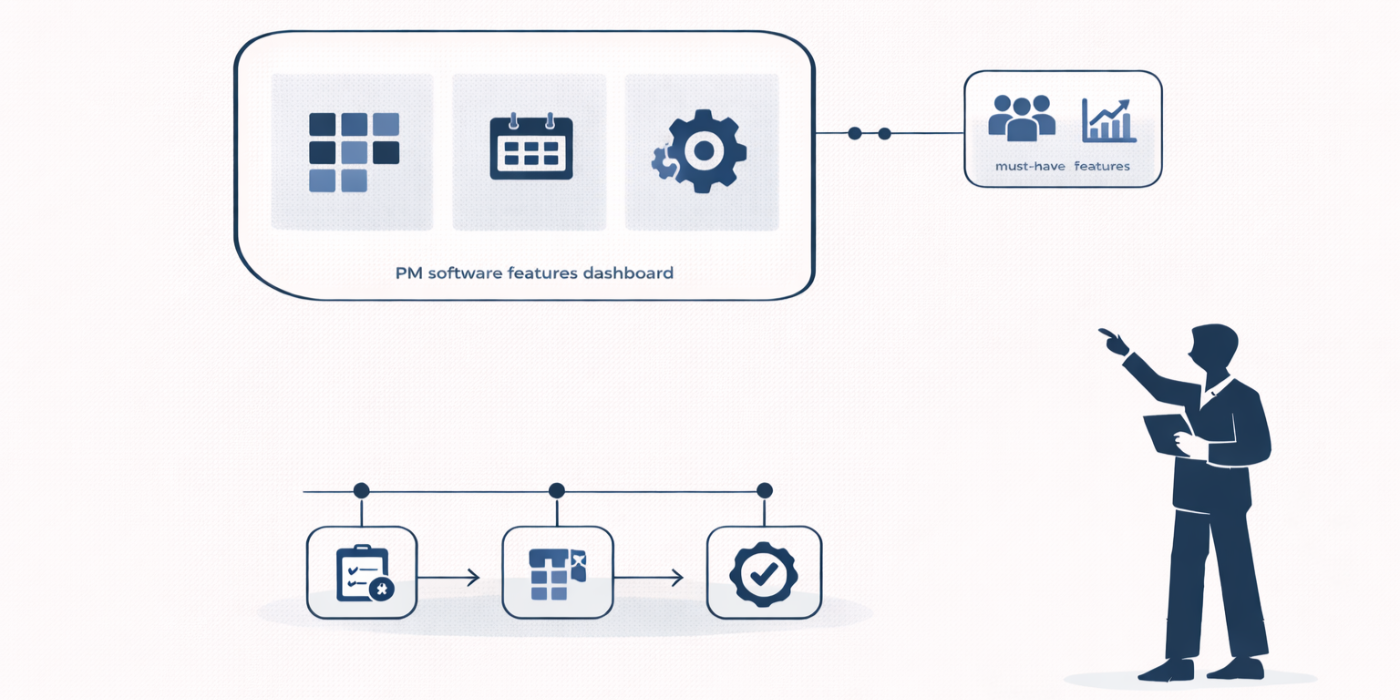
A few years ago, project management software buying was heavily shaped by broad promises. Teams wanted all-in-one platforms, endless flexibility, and feature-rich interfaces that looked impressive in demos. But many organizations learned the hard way that more features do not automatically create better delivery. In fact, bloated platforms often increased manual updates, scattered truth across modules, and buried the few capabilities teams actually needed. That is why the market is now shifting toward feature utility, workflow fit, and executive trust. The most popular features in 2026–27 are the ones that help teams move faster with less confusion, which is exactly why buyers are also comparing project reporting and analytics software, dashboard and data visualization tools, calendar and scheduling platforms, and project productivity tools.
Another reason popularity is shifting is the rise of harsher operating conditions. Teams are managing more cross-functional work, tighter budgets, heavier reporting demands, and faster leadership expectations. In that environment, a feature only becomes “popular” if it reduces pain. That pain may be poor visibility, delayed decisions, duplicate entry, missed dependencies, weak resource planning, or lack of executive-ready reporting. This is where feature demand intersects directly with economic uncertainty and agile demand, global inflation pressure on projects, investment in PM software, and the broader evolution of project management through 2030.
The third reason is that software is now being evaluated by more stakeholders than just project managers. PMOs want governance and reporting discipline. Executives want faster visibility. Finance wants forecast reliability. Procurement wants contract awareness. Delivery teams want lower admin burden. Functional leaders want resource clarity. As a result, the features gaining traction are the ones that bridge those needs instead of serving one narrow role. This is why interest is growing around budget tracking software, document management tools, knowledge management platforms, and contract lifecycle management systems.
Feature popularity is also changing because AI has raised expectations. Teams no longer want software that merely stores updates. They want platforms that can flag risk, summarize patterns, suggest priorities, identify bottlenecks, and answer practical questions fast. That shift does not mean every AI feature is valuable. It means low-value features are easier to ignore now because buyers are comparing them against genuinely transformative workflows shaped by AI adoption in project management, machine learning in estimation and scheduling, automation and PM careers, and the next generation of future PM competencies.
2. The Features Teams Use Most and Why They Matter
The most consistently popular features remain the ones closest to execution visibility. Dashboards, task boards, Gantt charts, workload views, dependencies, and reporting tools still dominate because teams cannot manage what they cannot see clearly. These features are popular not because they are new, but because they solve recurring pain: unclear ownership, invisible delays, overloaded resources, and status meetings built on stale data. That is why demand continues to cluster around best project reporting and analytics software, top dashboard and data visualization tools, best Gantt chart software, and top calendar and scheduling tools.
Resource planning features are also growing rapidly in importance. Many teams discovered that delivery failure was less about task management and more about false assumptions around capacity. A clean plan means very little if the same critical specialist is quietly committed to five parallel initiatives. That is why workload heatmaps, staffing views, role-based capacity planning, and portfolio-level resource visibility are moving from “nice-to-have” to central buying criteria. This aligns with the growing importance of project portfolio management, the role of the future PMO, and the increased pressure described in future project management leadership and future project manager skills.
Automation features are another major area of popularity because they attack one of the ugliest pain points in project work: administrative drag. Repetitive reminders, recurring task creation, approval routing, report generation, status nudges, and stage-gate escalations consume time that project managers should be spending on decisions and risk management. When automation works well, it does not just save time. It improves consistency and reduces process breakdown. That is why growing buyer interest overlaps strongly with automation tools for PM efficiency, top productivity software for busy PMs, future PM software platforms, and the career implications discussed in how automation and AI will transform PM careers.
Collaboration features remain highly popular as well, but the most valuable versions are not generic chat clones. Teams want collaboration attached to tasks, documents, approvals, and decisions so context does not disappear into separate channels. Comment threads, @mentions, shared files, approval history, and integrated collaboration environments are winning because they reduce the cost of context switching. This trend mirrors the popularity of mobile collaboration apps for project teams, project management mobile apps, document management software, and project knowledge management platforms.
Financial features are also becoming much more popular because budget pain is now more visible. Teams want budget tracking, variance analysis, forecast updates, and financial dashboards inside the project environment rather than locked inside separate finance systems. That does not mean PM software must become an ERP replacement. It means software is becoming more valuable when it makes the financial consequences of project decisions easier to see. This demand connects directly with project budget tracking tools, project reporting platforms, future PPM trends, and global inflation’s effect on project budgets.
3. The Rise of AI-Powered Features and What Buyers Actually Want
AI-powered features are easily the most talked-about software category in 2026–27, but not every AI feature is equally useful. Teams are quickly learning to separate decorative AI from operational AI. Decorative AI rewrites updates, generates summaries nobody asked for, or adds novelty without reducing pain. Operational AI does something harder and more valuable: it improves judgment. The most popular AI features are therefore the ones that detect risk, suggest priorities, identify anomalies, surface patterns, and answer portfolio questions in plain language. This is why serious software conversations now overlap with AI in project management, AI adoption trends across PM, machine learning in estimation and scheduling, and the longer-term outlook for future PM software.
The most popular AI use case today is status acceleration. Project managers are tired of spending valuable hours transforming raw updates into executive-friendly summaries. AI features that turn project data into coherent status narratives are popular because they save time immediately. But their long-term value depends on accuracy. If a team spends half its time correcting bad AI summaries, the feature becomes another burden. That is why buyer maturity is increasing. Teams no longer ask whether AI exists. They ask whether it reduces work without weakening trust.
AI risk alerts are becoming even more valuable. Features that flag slippage patterns, dependency danger, unusual forecast changes, resource overload, or late approvals are popular because they improve the timing of intervention. In project work, early warning is worth far more than elegant explanation after failure. That makes these features especially attractive to PMOs, sponsors, and portfolio leaders already focused on future project governance, future PMO operating models, project portfolio trends, and future leadership approaches.
Natural-language querying is another feature gaining popularity quickly because it lowers the barrier to insight. An executive who can ask, “Which projects are trending late because of resource conflicts?” gets value faster than one who must navigate a complex reporting hierarchy. These AI query layers are popular because they turn software from a specialist tool into a decision surface. That matters not just for adoption, but for organizational speed.
The strongest buyers, however, remain cautious. They want AI that is governed, explainable, and tied to high-quality data. An AI feature can only be as useful as the workflow and data design underneath it. That is why software evaluation is increasingly tied to surrounding systems like document management, knowledge management, dashboard visibility, and project analytics software.
The best feature is usually the one that removes the ugliest recurring bottleneck, not the one with the flashiest demo.
4. The Features PMOs, Executives, and Delivery Teams Value Most
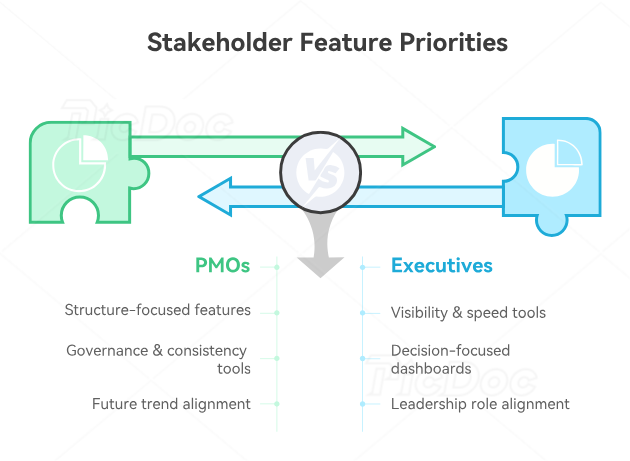
PMOs tend to value features that create structure across multiple projects. Portfolio views, custom workflows, governance gates, reporting layers, approval trails, role-based permissions, template libraries, and cross-project resource visibility rank highly because PMOs are accountable for consistency, not just task completion. These features become more popular as organizations mature and realize that project success depends on system design as much as team effort. That is why PMOs increasingly evaluate software alongside future PMO trends, future governance models, project portfolio management evolution, and the broader rise of digital transformation in PMOs.
Executives, by contrast, usually care most about visibility, confidence, and speed. They want dashboards that make decisions easier, not denser. Popular executive-facing features therefore include real-time portfolio summaries, goal alignment views, scenario planning tools, AI-powered query layers, financial overviews, and risk heatmaps. Executives do not care whether the team used twelve custom fields correctly. They care whether the software tells them where decisions are needed and what tradeoffs matter most. This is closely connected to the growing importance of future project leadership, portfolio management careers, project management director pathways, and the executive lens behind the chief project officer role.
Delivery teams value somewhat different features. They want tools that make work easier to execute, easier to understand, and easier to coordinate. That includes task boards, dependencies, comment threads, mobile access, calendar sync, recurring task logic, file sharing, clear ownership, and simple reporting flows. Popularity at the team level is closely tied to daily friction. If a feature saves five minutes every day, it will usually matter more than a complex reporting engine used once a month. That logic overlaps with what matters in remote and virtual project management, freelance PM environments, IT project management workflows, and the day-to-day realities of consultancy-style PM work.
Finance and procurement stakeholders increasingly influence feature demand too. They may not live inside the platform every day, but they care deeply about budget tracking, contract awareness, approval logs, spend visibility, and schedule realism around vendor lead times. This makes integrations and financial features much more commercially important than they used to be. The software market is responding because projects are increasingly judged not only on delivery motion, but on business control.
This multi-stakeholder reality is exactly why certain features keep rising in popularity. The winning features are not just useful in isolation. They create shared confidence across groups that traditionally saw different versions of the truth.
5. What Buyers Should Prioritize When Choosing Software in 2026–27
The first priority should be friction reduction, not feature count. Buyers often get distracted by massive comparison grids that make every platform look irresistible. But the better question is simpler and more ruthless: Which three to five features will remove the most pain from your current project environment? For some teams, that is resource visibility. For others, it is automation, executive dashboards, integrated documentation, or financial tracking. The most successful software choices begin with operational pain, which is why smart buyers often benchmark against best automation tools, project reporting software, document management platforms, and knowledge management systems.
The second priority is adoption realism. A feature is not valuable because it exists. It is valuable because people will actually use it under pressure. This is where many software decisions fail. Teams buy advanced scenario planning, AI assistants, custom workflow engines, and complex field structures, then discover that day-to-day users avoid them. That risk becomes even higher in organizations juggling construction project management, healthcare project environments, government PM contexts, and international project delivery, where compliance and workflow complexity are already high.
The third priority is ecosystem fit. Software no longer wins alone. It wins as part of a connected environment. Buyers should evaluate how well features interact with finance, scheduling, documents, approvals, collaboration, analytics, and portfolio tools. A strong individual feature becomes much stronger when it lives inside a coherent system. This is why software choice increasingly overlaps with project budget tracking, calendar and scheduling ecosystems, dashboard platforms, and project portfolio trends.
The fourth priority is governance depth. As organizations mature, they need software features that can support approval controls, audit trails, role-based permissions, dependency tracking, escalation logic, and strategic alignment. A beautiful interface cannot compensate for weak control in a high-stakes delivery environment. Teams that ignore governance often discover too late that their tool is excellent at organizing work and terrible at governing it.
The final priority is future usefulness. Buyers should not select software only for today’s process. They should ask which features will matter more over the next two to four years as AI matures, PMOs evolve, hybrid delivery grows, and executive reporting expectations become more demanding. In 2026–27, the best buying decisions are not just about solving current friction. They are about choosing features that will still earn their place when delivery environments become even more complex.
6. FAQs: 2026–27 Comprehensive Analysis: Most Popular Project Management Software Features
-
The most popular features include live dashboards, workflow automation, resource planning, Gantt charts, collaboration tools, budget tracking, portfolio views, AI summaries, AI risk alerts, and integrated reporting. Their popularity is driven by practical value rather than novelty.
-
Because teams want faster insight and less manual reporting. AI features are gaining popularity when they help identify risk, summarize status, surface patterns, and answer questions directly. The strongest demand is for AI that improves judgment, not just appearance. This trend is tightly connected to AI in project management and AI adoption across PM workflows.
-
Yes. Gantt charts, dependencies, dashboards, and task views remain highly popular because they solve enduring execution problems. Newer features have not replaced them. Instead, they are being layered on top of them in smarter software ecosystems.
-
PMOs usually value portfolio visibility, governance workflows, approval tracking, resource planning, reporting, templates, and audit-friendly controls. These features help them standardize delivery and intervene earlier across multiple projects.
-
Executives care most about real-time dashboards, scenario planning, goal alignment, financial visibility, risk heatmaps, and AI-powered query features that help them make fast decisions without digging through operational clutter.
-
They should evaluate which features reduce real pain, fit daily workflows, integrate cleanly with other systems, support governance, and will still matter as the organization grows. A shorter list of well-used features is usually far more valuable than a huge catalog that teams barely touch.
