
Top 25 Agile Project Management Tools Reviewed (2026-2027 Guide)
A strong Agile tool does more than move cards across a board. It protects sprint focus, exposes blocked work early, keeps product decisions traceable, and helps leaders see whether delivery is actually improving. For APMIC readers comparing platforms in 2026-2027, the real question is fit: which tool supports your team’s Agile maturity, reporting needs, stakeholder pressure, and future career proof? This guide reviews 25 tools through the lens of practical delivery, using the same logic behind strong Agile project management trends, smarter project software selection, better project reporting, and stronger project management career growth.
1. How to Choose an Agile PM Tool Without Buying Workflow Debt
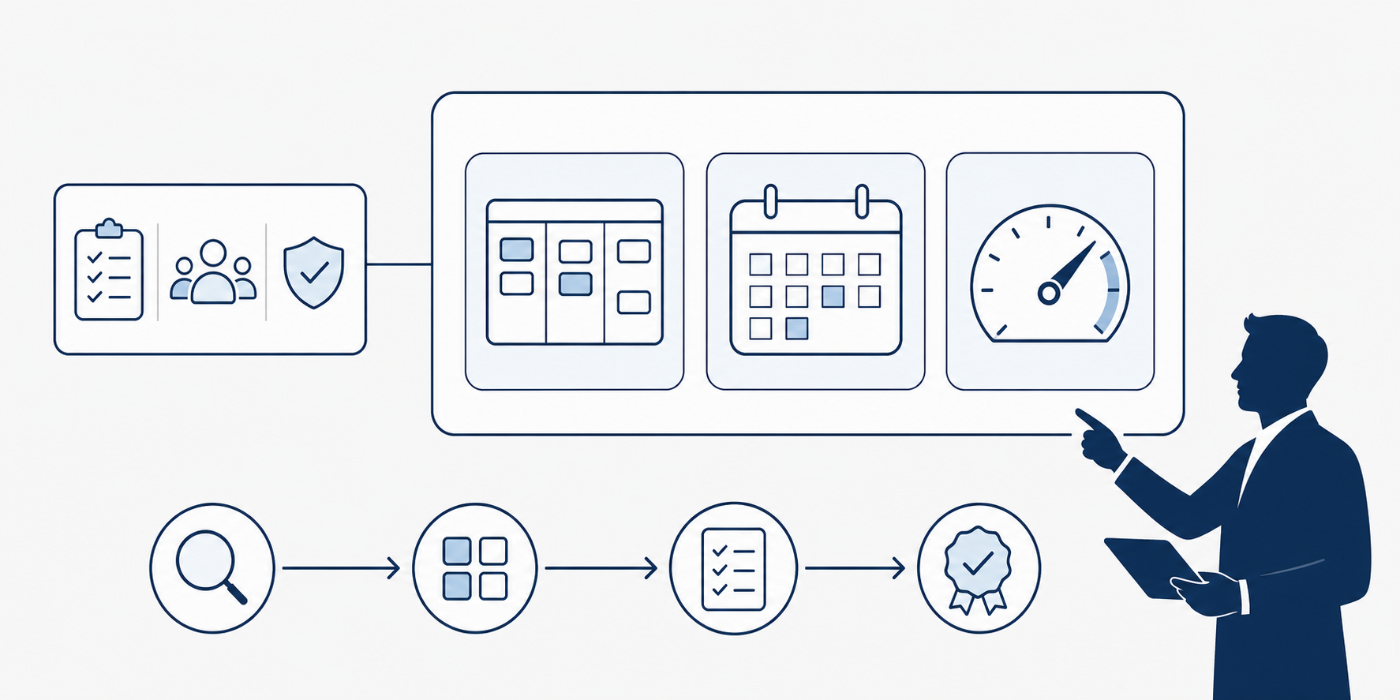
The best Agile project management tool is the one your team can actually use under pressure. A beautiful board means little when backlog refinement is weak, sprint goals are vague, reporting is manual, and stakeholders keep asking for updates outside the system. Before comparing brands, define your operating model: Scrum, Kanban, Scrumban, hybrid delivery, product-led roadmap planning, or enterprise portfolio management. That one decision should shape how you evaluate Agile methodology adoption, Scrum roles, project scheduling terms, risk management workflows, and issue tracking software.
Your first filter should be delivery visibility. Can the tool show backlog health, sprint commitment, blocked items, dependency risk, escaped defects, workload strain, and delayed decisions without forcing the PM to build a report from scratch every Friday? Jira’s official Scrum board materials emphasize product backlogs, roadmap-derived work, estimates, value, and ranked items, while Azure Boards documentation covers sprint backlog planning and velocity reporting as core sprint execution mechanics. Those details matter because Agile fails fastest when the board becomes a task dump instead of a delivery control system.
Your second filter should be governance fit. Some teams need lightweight Kanban cards; others need audit trails, portfolio rollups, budget visibility, dependency maps, permissions, approvals, and executive dashboards. That is why a small creative team may thrive in Trello or Notion, while a regulated enterprise may need Jira, Azure DevOps, Planview, Rally, Smartsheet, or GitLab. This is also where PMs should connect tool selection to project governance, stakeholder management, project communication, budget tracking, and resource allocation.
2. Top 25 Agile Project Management Tools Reviewed for 2026-2027
Jira remains the default serious Agile tool for many software teams because it gives product owners, Scrum masters, developers, QA teams, and engineering leaders a shared operating system for backlog refinement, sprint planning, issue tracking, release planning, and workflow customization. Its biggest value appears when the team understands Agile requirements, Scrum responsibilities, critical path thinking, project issue tracking, and software development PM. Jira becomes painful when every team creates its own status jungle, custom field sprawl, and reporting workaround. Use it when you need deep Agile execution, not when you only need a clean to-do board.
Azure Boards is strongest for organizations that already connect planning, code, builds, releases, and engineering governance through Microsoft’s DevOps ecosystem. Its sprint, backlog, iteration, and velocity features help PMs manage real delivery capacity instead of relying on vague team confidence. GitLab works similarly for DevSecOps-centered teams, especially when Agile planning needs to stay close to source code, issues, epics, dependencies, and release evidence. GitLab’s Agile delivery materials highlight issue boards, parent-child relationships, dependencies, epics, Kanban boards, and roadmaps, which makes it valuable for teams that treat traceability as a delivery requirement. Both tools reward PMs who understand IT project management, AI and automation in PM, project reporting analytics, project failure root causes, and future PM software.
ClickUp, monday.com, Asana, and Wrike are best compared as flexible work management platforms with Agile capabilities, rather than pure engineering-first Agile systems. ClickUp’s Agile materials emphasize sprint planning, Agile dashboards, and real-time collaboration, while monday.com’s Agile page describes sprint planning, roadmaps, bugs, tasks, and customizable workflows. Asana is especially strong when leadership needs portfolio, goals, timeline, and cross-functional accountability; Wrike is valuable for structured intake, workload visibility, and enterprise collaboration. These tools fit teams that need hybrid project management, dashboard visualization, resource allocation, stakeholder communication, and project productivity systems.
Trello, MeisterTask, Nifty, Basecamp, Teamwork, Hive, and Notion sit in the lighter-to-midweight category. Trello is excellent when a team needs Kanban clarity, fast onboarding, visible ownership, and low process friction. MeisterTask is similar for visually simple task flow. Nifty works when milestones and collaboration matter more than advanced Agile analytics. Basecamp suits client communication and calm delivery. Teamwork is practical for agencies balancing tasks, clients, time, and capacity. Hive works for collaborative hybrid teams. Notion is strongest when documentation, roadmap notes, decision logs, and knowledge capture matter as much as task tracking. These tools support team building terminology, remote PM roles, knowledge management software, document management, and mobile collaboration.
Zoho Sprints, Linear, Shortcut, Aha! Roadmaps, Productboard, Miro, Businessmap, Planview AgilePlace, Rally, SpiraPlan, and OpenProject cover more specialized needs. Zoho Sprints offers dedicated Agile features including backlog, epics, release board, reports, timesheets, and meetings, while its Scrum board page references WIP limits and sprint dashboards. Smartsheet’s Agile page highlights Kanban Card View, sprint and backlog management, dashboards, reporting, and automated workflows. Linear and Shortcut appeal to engineering speed. Aha! and Productboard support strategy and discovery. Miro supports workshops and retrospectives. Businessmap and Planview AgilePlace support mature flow management. Rally suits scaled enterprise Agile. SpiraPlan fits QA-heavy traceability. OpenProject suits teams that care about open-source control. Match them against Agile certification preparation, project quality management, portfolio management, risk identification, and project procurement terms.
3. Which Tool Fits Which Agile Team?
For software product teams, start with Jira, Azure Boards, GitLab, Linear, Shortcut, or Zoho Sprints. These tools understand the language of backlog, story, epic, bug, sprint, release, velocity, and dependency. The buying mistake is choosing a tool because executives like the dashboard while the delivery team struggles to maintain the backlog. The better move is to test whether the tool helps a product owner write clearer work, helps developers understand priority, helps QA see acceptance criteria, and helps PMs explain risk. Connect that evaluation to Agile project manager careers, Scrum certification routes, PMP exam strategy, CAPM career fit, and PMI-ACP preparation.
For business operations, marketing, HR, healthcare, consulting, and PMO environments, Asana, monday.com, Wrike, Smartsheet, ClickUp, Teamwork, Hive, and Nifty often make more sense. These teams usually need forms, approvals, calendars, dashboards, workload views, automations, shared documents, recurring work, and stakeholder updates. The right tool reduces follow-up debt. The wrong tool makes the PM chase status across Slack, spreadsheets, email, and meetings. This category should be evaluated through project communication techniques, calendar scheduling tools, Gantt chart software, budget tracking tools, and customer relationship management tools for PMs.
For enterprise Agile, the tool must protect governance without crushing flow. Rally, Planview AgilePlace, Jira Align-style environments, Businessmap, Smartsheet, GitLab, Azure Boards, and Wrike can help when leaders need visibility across programs, dependencies, capacity, risks, releases, and strategic outcomes. Enterprise teams should ask whether the tool creates usable decision data or just more status noise. When executives cannot see delayed dependencies until the sprint review, the system has already failed. Use this evaluation with future PPM trends, project governance best practices, project market outlook, project success factors, and project failure analysis.
The fastest Agile tool win comes from fixing one blocker before adding more features.
4. The Buying Scorecard: Features That Actually Protect Delivery
A serious Agile PM tool must provide five protections: backlog quality, flow visibility, reporting trust, stakeholder alignment, and governance control. Backlog quality means every item has ownership, priority, acceptance criteria, size, status, and connection to value. Flow visibility means blocked work, WIP overload, aging items, cycle time, and dependency delays are visible before the deadline breaks. Atlassian’s Kanban guidance highlights WIP limits, bottleneck visibility, cycle-time thinking, and transparent workflow practices as core Kanban mechanics, which is exactly why visual boards need operating rules. Tie this scorecard to Kanban and Agile methodology, risk assessment terms, cost management terms, quality management terms, and project dashboard tools.
Reporting trust is where many Agile tools either earn loyalty or create resentment. A PM should be able to answer: What changed since last sprint? What is blocked? Which team is overloaded? Which work is aging? Which commitment is at risk? Which dependency needs escalation? Which stakeholder decision is overdue? A tool that cannot answer those questions will push the team back into manual slides. This is why buyers should compare native dashboards, custom reports, saved views, portfolio rollups, automation rules, export quality, and integration depth against project reporting software, data visualization tools, project budget tracking, project workforce trends, and AI automation adoption.
Stakeholder alignment deserves its own score. Tools often impress delivery teams while confusing executives, clients, vendors, legal teams, finance, or procurement. A government, healthcare, construction, or enterprise PM may need approvals, audit trails, contract references, risk logs, documentation control, and financial context. A startup PM may need speed, fewer fields, and faster product decisions. The same tool can be excellent in one environment and frustrating in another. Build a weighted scorecard around procurement terminology, contract management terms, healthcare PM software, construction PM careers, and government PM careers.

5. Implementation Playbook: How to Roll Out the Tool Without Team Rebellion
Start with a workflow audit before migration. List every status, approval, intake source, report, field, dashboard, recurring meeting, stakeholder update, file location, and handoff. Then remove duplicate steps before configuring the new tool. Teams often blame software when the real issue is unclear ownership, weak acceptance criteria, poor prioritization, or overloaded capacity. A clean rollout should connect the tool to project initiation terms, requirements control, human resource management in PM, resource allocation tools, and project scheduling tools.
Next, pilot the tool with one real project, one trained PM, one product owner or business owner, and one reporting audience. Build only the fields you need for decisions. Create a simple rulebook: what qualifies as “ready,” what counts as blocked, who can change priority, what must be updated before standup, what gets reviewed during sprint planning, and what gets escalated. This rulebook is more valuable than a feature tour. It helps connect tool behavior to Scrum exam thinking, Agile certification comparison, PMP vs PRINCE2 decisions, CAPM certification salary paths, and project manager salary benchmarks.
Finally, measure adoption through behavior, not login counts. Are sprint goals clearer? Are fewer items aging silently? Are blockers escalated earlier? Are stakeholders asking fewer duplicate questions? Are retrospectives producing workflow changes? Are reports trusted? Are PMs spending less time chasing updates? If the answer is weak, improve process design before adding plugins. The best Agile tool becomes a career asset when a PM can show measurable improvements in visibility, delivery confidence, stakeholder trust, and team focus. That proof supports project manager career roadmaps, project management consultant paths, PM director careers, portfolio manager careers, and executive PM growth.
6. FAQs About Agile Project Management Tools
-
The best overall choice depends on team type. Jira is strongest for mature software Agile. Azure Boards is excellent for Microsoft DevOps teams. GitLab fits DevSecOps. ClickUp and monday.com work well for flexible multi-team work. Asana is strong for cross-functional visibility. Smartsheet and Wrike are strong for structured business delivery. A smart PM compares tools against Agile methodology adoption, project software features, dashboard tools, and project reporting software.
-
Small teams should use Jira when they need structured backlog control, issue types, sprints, releases, engineering integrations, and serious reporting. A simpler tool like Trello, MeisterTask, Notion, Nifty, or Basecamp may work better when the team needs visibility, ownership, and momentum without heavy configuration. The decision should follow workflow maturity, not brand popularity. Compare the team’s needs against project management terms, team-building terminology, mobile PM apps, and remote PM trends.
-
Enterprise PMOs should shortlist tools that handle portfolio visibility, dependency mapping, governance, reporting, permissions, and cross-team capacity. Rally, Planview AgilePlace, Jira, Azure Boards, GitLab, Smartsheet, Wrike, Businessmap, and Asana can fit different enterprise models. The strongest choice is usually the one that helps executives see risk earlier and helps delivery teams avoid duplicate reporting. PMOs should connect tool decisions to PPM tools, project governance, project failure rates, and project success factors.
-
The highest-value features are backlog management, sprint planning, Kanban boards, WIP limits, dashboards, dependency tracking, workflow automation, integrations, reporting, permissions, documentation, and portfolio rollups. The hidden feature is process discipline. Even the strongest platform fails when work items are vague, updates are late, priorities change without traceability, and teams treat the tool as administrative punishment. Build your evaluation around risk management, issue tracking, quality management, cost management, and communication techniques.
-
A PM can prove tool value by tracking fewer missed commitments, faster blocker escalation, cleaner backlog quality, lower aging work, better sprint predictability, stronger stakeholder trust, reduced manual reporting, and clearer ownership. Before-and-after dashboards are powerful career evidence. They show that the PM improved delivery systems, not just task hygiene. This evidence supports stronger resumes, interviews, promotions, and consulting conversations when paired with PMP preparation, PMI-ACP preparation, project management salary reports, and project management career roadmaps.
-
The biggest mistake is buying for features before fixing workflow rules. A company may purchase dashboards, AI summaries, automations, roadmaps, dependencies, and portfolio views, then still suffer because the team has unclear priorities, weak intake, poor backlog refinement, and inconsistent updates. Tool success begins with process clarity. The best buyers define governance, reporting needs, user roles, escalation rules, and adoption metrics before migration. That approach aligns with project initiation, stakeholder management, project reporting, and Agile project failure prevention.
