
Best Team Communication Platforms Reviewed (2026 Edition)
A team communication platform is where project risk either gets exposed early or quietly buried under scattered messages. In 2026, the strongest tools help teams separate urgent decisions from noise, protect async work, document commitments, keep stakeholders aligned, and reduce the painful “where was that discussed?” problem. For APMIC readers, the right platform should support delivery discipline, not just daily chatter. Use this guide with project communication techniques, remote project management trends, team collaboration apps, and project productivity software.
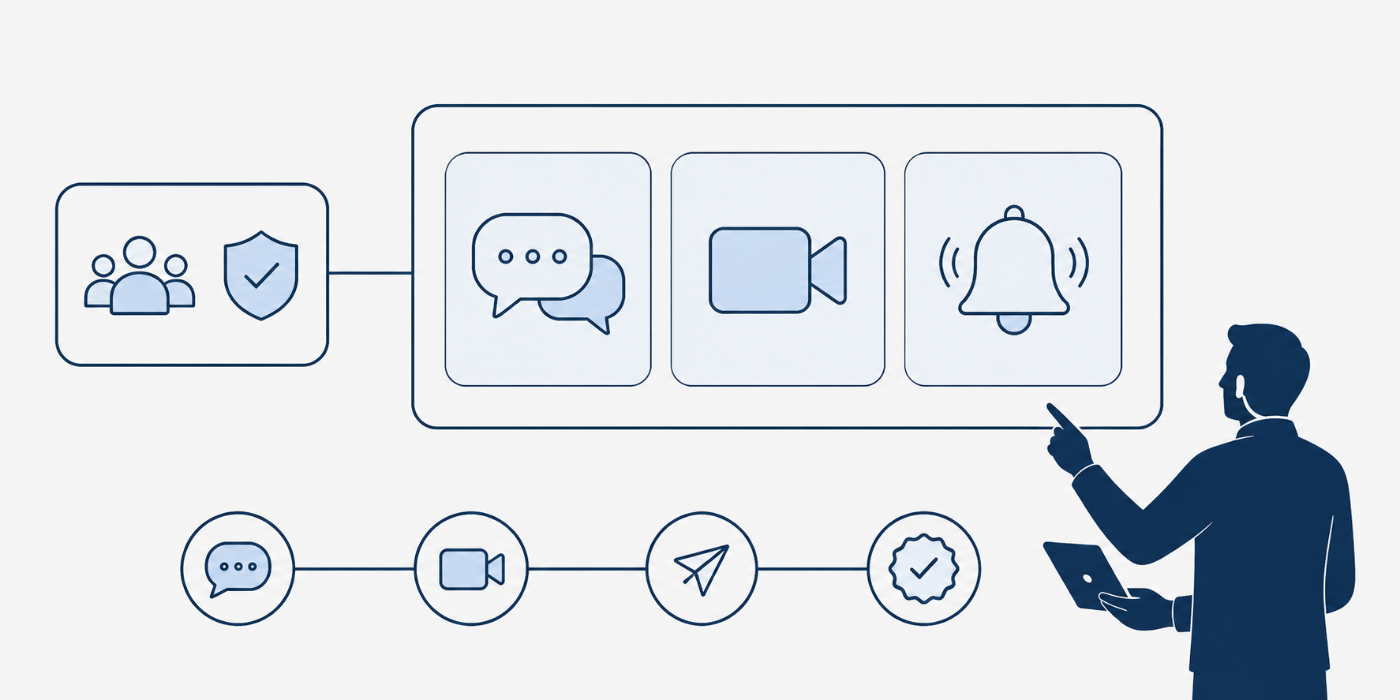
1. How to Choose a Team Communication Platform Without Creating Message Chaos
A team communication platform should make work easier to find, easier to understand, and easier to act on. The buying mistake is treating communication software like a digital room where everyone can talk at once. Serious project teams need channels, threads, direct messages, async updates, file sharing, meeting handoffs, search, permissions, integrations, mobile access, and governance rules that prevent critical decisions from disappearing into noise. This is why platform selection should connect directly to stakeholder management, project issue tracking, project knowledge management, document management software, and project scheduling tools.
The first evaluation question is communication architecture. Can the platform separate project updates, quick questions, executive announcements, client communication, decision records, working files, and urgent escalations? Slack highlights AI, workflow automation, task management, and collaboration features, while Slack huddles support quick real-time audio/video conversations inside channels or direct messages. Microsoft Teams brings chats, channels, meetings, apps, Loop, OneNote, files, and secure collaboration into one Microsoft-centered workspace. Those differences matter because a PM using project reporting software, dashboard visualization tools, resource allocation software, and risk management terms needs conversations to become usable delivery evidence.
The second evaluation question is workforce fit. Desk-based software teams, hybrid PMOs, agencies, frontline teams, healthcare operations, construction teams, and enterprise communication departments have different pain points. A desk-based product team may need Slack, Teams, Google Chat, Mattermost, or Linear-adjacent workflows. A field workforce may need Connecteam, Staffbase, Workvivo, or Simpplr. A security-sensitive organization may need Mattermost or Rocket.Chat because secure deployment, audit trails, data control, and self-hosting can matter more than a polished consumer-style interface. Mattermost emphasizes secure messaging, classification banners, data spillage prevention, audit trails, and data control, while Rocket.Chat emphasizes unified messaging, voice, video, screen sharing, and secure deployment options. This is the same selection logic behind government project manager careers, healthcare project management, cybersecurity concerns in PM software, and project governance best practices.
One current warning matters in 2026: Workplace from Meta should be treated as a migration issue rather than a new-platform option. Meta’s own update says Workplace customers could use the product normally until August 31, 2025, then access it only to read and download data until the full shutdown on May 31, 2026. That one example proves why communication platform selection needs vendor stability checks alongside project procurement terms, contract lifecycle management, project risk identification, and project failure root causes.
2. Best Team Communication Platforms Reviewed for 2026
Slack remains one of the strongest communication platforms for teams that live inside fast-moving project channels, app integrations, product discussions, incident rooms, and cross-functional workflows. Its real strength is the way conversations can connect to workflows, huddles, AI support, files, and third-party tools. The risk is channel sprawl. A PM should define naming rules, announcement rules, escalation rules, and decision-log rules before the team grows. Slack fits teams already building maturity around Agile project management tools, software project management, project issue tracking, project automation, and PMI-ACP preparation.
Microsoft Teams is the strongest default option for many enterprise teams because it connects chat, channels, meetings, files, Microsoft 365 apps, Loop, OneNote, third-party apps, and secure collaboration. It is especially valuable when documents, meetings, and conversations need to stay in the same Microsoft environment. Google Chat serves a similar role for Workspace organizations, with spaces, apps, webhooks, integrations, and Gemini-supported communication workflows. Google’s Play Store listing also references AI-powered search, summaries, translation, and action-item capture. These platforms fit PMs managing project documentation, project knowledge systems, project reporting, stakeholder communication, and remote work delivery.
Zoom Team Chat, Cisco Webex, RingCentral, and GoTo Connect are best for organizations where messaging must sit beside meetings, voice, webinars, calls, screen sharing, and business communications. Zoom Chat is included with Zoom Workplace plans and connects instant messaging with the broader Zoom environment, while Zoom’s 2025 materials highlight AI Companion support for chat summaries, message composition, and quick actions. Webex describes a suite with calling, meetings, messaging, webinars, events, polling, whiteboarding, and video messaging. RingCentral positions team messaging alongside chat, video, file sharing, calls, texts, and task management. GoTo’s business messaging supports coworker, customer, vendor, public group, and private group conversations. These are practical fits for calendar scheduling, CRM tools for PMs, remote PM roles, communication techniques, and project dashboard visibility.
Mattermost and Rocket.Chat are the strongest shortlist choices when secure collaboration, private deployment, operational control, auditability, or regulated communication is central. Mattermost is built around secure, persistent messaging for operational and enterprise teams, with data control and deployment flexibility. Rocket.Chat supports secure messaging, on-premises, secure cloud, and air-gapped environments, plus omnichannel communication for customers, citizens, and stakeholders. These tools are most relevant to PMs working with government projects, cybersecurity-driven PM software changes, project governance, risk management, and contract management terminology.
Chanty, Flock, Pumble, Twist, Zoho Cliq, Lark, Basecamp, Ryver, and ProofHub serve teams that want simpler communication, less enterprise weight, or more project-context communication. Chanty presents itself as an all-in-one collaboration tool with message history, features, and apps; Flock offers video/voice calling, screen sharing, to-dos, polls, reminders, and integrations; Twist is built around async threaded communication; Pumble emphasizes organized channels, files, unlimited message history, and one-click video conferencing. Zoho Cliq organizes conversations, workflows, chats, channels, and online meetings, while Lark combines chat, docs, meetings, workflow automation, and AI in a broader productivity suite. Basecamp is useful for teams that prefer message boards, pings, and calmer project communication. Ryver combines group messaging, topics, tasks, and calls. ProofHub connects discussions, chat, files, and work context. These tools fit small business PM software, team-building terminology, mobile collaboration apps, freelance PM careers, and project consultant career paths.
Connecteam, Workvivo, Staffbase, and Simpplr solve a different communication problem: reaching employees across the whole organization, including frontline, mobile, distributed, or deskless workers. Connecteam highlights chat, feed, knowledge base, directory, surveys, and events for workforce communication. Workvivo focuses on employee experience, modern intranet, knowledge, engagement, and AI-native internal communication. Staffbase supports communication across intranet, mobile app, email, Copilot, acknowledgement tracking, and feedback loops. Simpplr supports internal news and announcements across email, SMS, mobile, and desktop. These platforms are useful for human resource management in PM, project management workforce trends, leadership communication, stakeholder alignment, and project governance.
Front, Loom, Notion, Miro, Quip, and Discord are valuable when communication happens through shared inboxes, async video, docs, visual boards, CRM records, or communities. Front supports shared inboxes where conversations can be categorized across channels such as email, Instagram, or SMS, with customer-facing collaboration at the center. Loom supports AI-powered video messages, screen recording, instant links, feedback, comments, emojis, and annotations. Notion combines docs, wiki, projects, enterprise search, and comments. Miro supports async collaboration through boards, comments, tagging, and Talktrack video walkthroughs. Quip combines documents, spreadsheets, and chat inside Salesforce. Discord supports communities with text, voice, video, servers, and screen sharing. These options work best when paired with knowledge management, customer relationship tools, document management, project productivity tools, and remote project management.
3. Which Team Communication Platform Fits Which Organization?
For software, product, Agile, and incident-response teams, the strongest shortlist is Slack, Microsoft Teams, Google Chat, Mattermost, Rocket.Chat, Zoom Team Chat, Linear-adjacent integrations through Slack or Teams, and GitLab-connected communication workflows. These teams need urgent-room clarity, searchable decisions, integration with task systems, rapid escalation, and clean project channels. The biggest pain point is duplicate communication: the bug is in Jira, the decision is in Slack, the file is in Drive, the approval is in email, and the PM is the only person trying to connect the evidence. Fix this by connecting communication structure to Agile tool effectiveness, issue tracking software, software PM tools, AI automation adoption, and project failure prevention.
For enterprise PMOs, finance-led transformation, healthcare administration, public-sector projects, and cross-functional corporate teams, Microsoft Teams, Google Chat, Webex, RingCentral, Smartsheet-adjacent communication, Workfront-adjacent communication, Staffbase, Simpplr, and Workvivo are stronger fits. These environments need permission controls, executive announcements, searchable history, meeting continuity, file governance, mobile access, and formal stakeholder updates. A PMO should avoid evaluating chat speed alone. The stronger test is whether the platform reduces status confusion, protects approvals, and supports portfolio-level communication across project portfolio management, PPM tool trends, project reporting analytics, project governance trends, and industry workforce trends.
For small businesses, agencies, freelancers, client-service teams, and remote-first teams, the shortlist should include Slack, Teams, Google Chat, Chanty, Flock, Pumble, Twist, Basecamp, Zoho Cliq, Lark, ProofHub, Teamwork-adjacent communication, Front, Loom, and Notion. These teams usually need fewer rules, faster onboarding, clean client communication, async updates, and a place where decisions can be found without asking the same person twice. Client-facing teams should pay special attention to shared inbox platforms like Front, because customer communication can create project risk when messages lack ownership. This selection path fits freelance PM careers, project consultancy firms, small business PM software, CRM tools for PMs, and mobile collaboration apps.
The best platform choice starts with the communication failure your team feels every week.
4. The Buying Scorecard: Features That Actually Protect Team Delivery
The first scorecard category is structure. The platform should support channels or spaces by project, function, stakeholder group, escalation type, and announcement need. It should also support threaded replies, search, file context, pinned resources, notification controls, and guest collaboration where needed. Without structure, communication tools reward speed while punishing clarity. A PM should be able to locate the latest decision, owner, deadline, blocker, and file without asking five people. That is the practical link between communication software and project initiation terms, project scheduling terms, critical stakeholder terms, project quality management, and project reporting tools.
The second scorecard category is actionability. A message should become a task, decision, follow-up, meeting note, risk item, client response, or knowledge article when the work requires it. Platforms with workflows, bots, task conversion, shared inbox assignments, AI summaries, meeting summaries, and document integrations help reduce the gap between talking and doing. This is why tools like Slack, Teams, Zoom, RingCentral, Zoho Cliq, Ryver, Front, Loom, Notion, and ProofHub can be valuable in different contexts. The strongest buying test is simple: run a real project update through the platform and see whether the team can turn it into assigned next steps. Use this lens with project automation tools, issue tracking software, resource allocation tools, project budget tracking, and productivity software.
The third scorecard category is governance. Buyers should check admin controls, data retention, export options, guest permissions, legal hold, audit logs, access control, security certifications, mobile device controls, and vendor continuity. Communication history often contains approvals, disputes, risks, requirements, vendor commitments, and sensitive files. Treating it casually creates a future audit problem. The Workplace from Meta shutdown is a reminder that vendor roadmap and migration planning belong in the buying process, especially when a platform becomes a company-wide communication layer. Connect governance scoring to contract management, procurement terms, project risk management, project governance, and project failure analysis.

5. Implementation Playbook: How to Roll Out a Communication Platform Without Team Resistance
Start with a communication map. List where your team currently discusses urgent issues, project updates, client requests, approvals, files, decisions, risks, meeting notes, and leadership announcements. Then decide which communication types belong in the new platform and which belong in a project management system, document repository, ticket tracker, or CRM. This prevents one tool from becoming a messy dumping ground. The rollout should support project communication techniques, knowledge management software, document management, CRM tools for PMs, and project issue tracking.
Next, create a communication rulebook before migration. Define naming conventions, who can create channels, when to use threads, when to use direct messages, when to escalate, where decisions are recorded, how meeting summaries are shared, how guest users are managed, and how old spaces get archived. Give every important channel an owner. Make project channels follow the same pattern so teams can move between projects without relearning the system. This is where communication software becomes a PM skill, especially for readers building project manager career roadmaps, remote PM careers, project management consultant careers, PM director paths, and VP of PM career growth.
Finally, measure success through business outcomes. Are fewer decisions lost? Are blockers escalated earlier? Are stakeholders asking fewer repeat questions? Are new team members finding context faster? Are meetings shorter because async updates improved? Are urgent issues reaching the right owners? Are project records cleaner? A platform that improves those outcomes strengthens delivery confidence and helps PMs prove operational maturity. That proof supports PMP preparation, CAPM career planning, PRINCE2 certification decisions, project manager salary analysis, and certification salary comparisons.
6. FAQs About Team Communication Platforms
-
The best overall platform depends on your environment. Slack is strong for fast product and software teams. Microsoft Teams is strong for Microsoft 365 organizations. Google Chat is strong for Workspace teams. Zoom Team Chat and Webex fit meeting-heavy organizations. Mattermost and Rocket.Chat fit secure or self-hosted needs. Workvivo, Staffbase, Simpplr, and Connecteam fit broad employee communication. Choose by workflow fit, governance needs, and searchability, then connect the decision to communication techniques, remote PM trends, mobile collaboration apps, and project productivity tools.
-
Slack is usually better for teams that need fast channels, integrations, lightweight huddles, workflow automation, and product or engineering-style collaboration. Microsoft Teams is usually better when the organization already depends on Microsoft 365, SharePoint, OneDrive, Outlook, Loop, OneNote, and enterprise identity controls. The practical decision is where project evidence already lives. PMs should compare both through document management, project reporting tools, stakeholder terms, and project governance.
-
The highest-value features are organized channels, threaded conversations, strong search, file sharing, guest access, audio/video handoff, mobile access, notification controls, integrations, admin permissions, data retention, and workflow automation. For PMs, the key feature is traceability. A good platform should help the team find decisions, approvals, risks, blockers, and owners quickly. Evaluate features through project issue tracking, risk management terms, project knowledge management, and project automation tools.
-
Remote teams should shortlist Slack, Microsoft Teams, Google Chat, Zoom Team Chat, Twist, Loom, Notion, Basecamp, Lark, Pumble, and Miro depending on their work style. Real-time teams need chat and huddles. Async teams need threads, video updates, searchable docs, and fewer meeting dependencies. Global teams should also check translation, time-zone norms, mobile experience, and notification controls. This decision fits remote PM roles, remote PM trends, team collaboration apps, and project scheduling tools.
-
The biggest mistake is buying a platform before defining communication rules. Teams need rules for channels, threads, announcements, direct messages, decision logs, escalations, guest users, meeting summaries, and archive hygiene. Without those rules, every platform becomes noisy. Strong selection begins with a communication map and a rollout rulebook. That approach connects to project initiation terms, stakeholder management, communication techniques, and project failure causes.
-
Project managers can prove improvement by tracking fewer missed updates, faster blocker escalation, cleaner decision records, reduced duplicate meetings, fewer repeated stakeholder questions, faster onboarding, better document discoverability, and improved response ownership. Before-and-after metrics make communication maturity visible to leaders. That proof helps PMs show operational impact in performance reviews, interviews, promotion discussions, and consulting proposals. Pair it with PMP certification planning, CAPM certification paths, project management salary insights, and project management career growth.
