
Remote project teams have access to more collaboration technology than any previous workforce, yet delivery friction remains severe. Chat, video, documents, task boards, automation, and AI frequently operate as disconnected utilities. This 2027–2028 guide connects project management software adoption, team communication platforms, project management integrations, and AI-enabled project management with measurable delivery performance. It also presents an original APMIC capability index showing where adoption is embedded, uneven, emerging, or poorly measured.
Editorial context: The source surveys and original analytical dataset discussed here describe 2025–2026 evidence. The 2027–2028 guidance applies those earlier findings without claiming newly surveyed outcomes.
1. What the 2026 Data Reveals About Collaboration Software Adoption
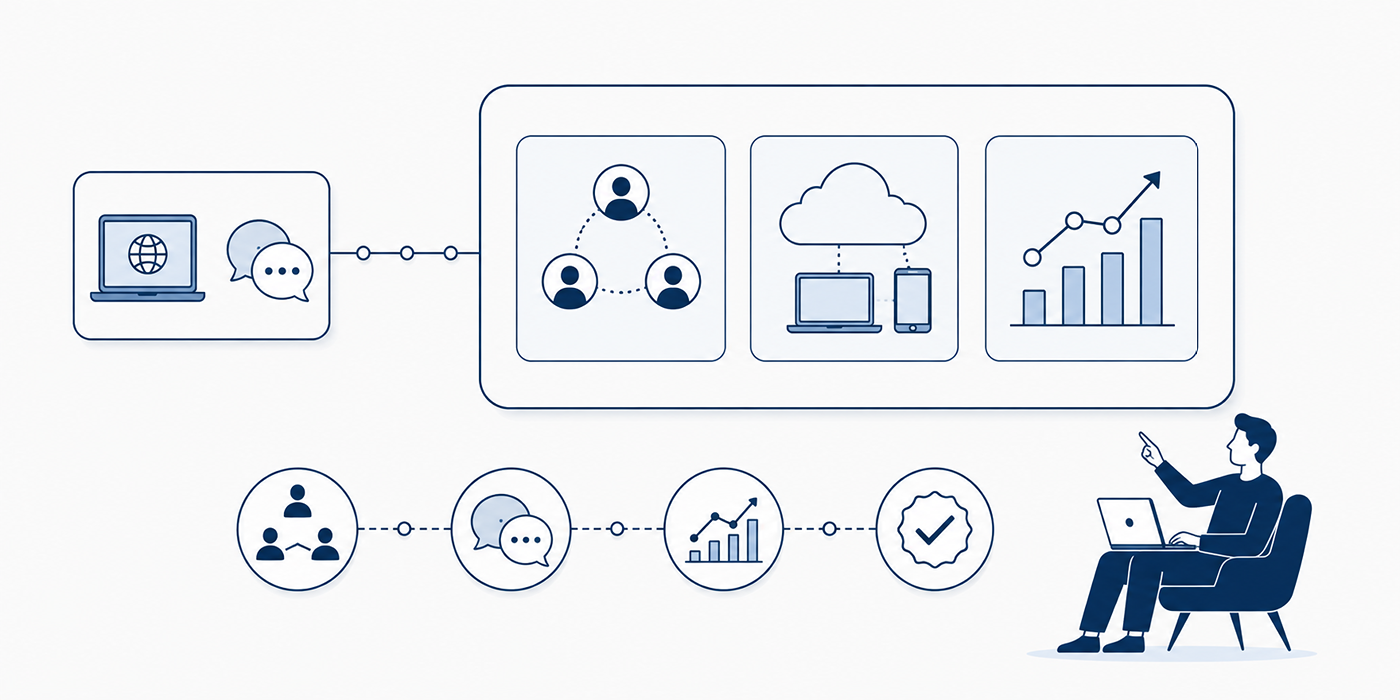
Collaboration software adoption has entered a maturity phase. Most remote teams already possess messaging, virtual meeting, cloud-document, file-sharing, and task-management capabilities. The strategic question has shifted toward whether these tools create a coherent project execution system, support dependable project monitoring and control, preserve usable project documentation, and strengthen stakeholder engagement.
The workplace context makes that question urgent. Zoom’s 2026 hybrid-work analysis reported that 64.4% of surveyed organizations operated hybrid schedules, while 18.6% operated fully remotely. The same research found that 75% of professionals believed their existing technology needed improvement and 72% believed further technology investment was necessary. It also identified a utilization gap in which employees used fewer than one-third of the available capabilities during meeting preparation and participation.
This explains why additional software rarely solves coordination problems by itself. A team can possess sophisticated Agile project management tools, advanced Kanban software, detailed project templates, and integrated workforce management systems while still losing decisions inside private messages, repeating status conversations, and discovering dependencies after deadlines have moved.
The APMIC Collaboration Adoption Index below scores 28 capabilities from 0 to 100 across five dimensions: organizational reach, frequency of use, workflow embedding, governance maturity, and measurable delivery impact. Each dimension receives equal weighting. Scores of 85–100 indicate embedded adoption; 70–84 indicate mainstream adoption; 55–69 indicate uneven adoption; 40–54 indicate emerging adoption; scores below 40 indicate weak measurement or limited operationalization.
The index is an original analytical dataset developed for this report. It synthesizes 2025–2026 evidence from Microsoft, Atlassian, and Zoom with workflow analysis covering remote project leadership, PMO operating models, project governance, hybrid methodologies, and digital project management transformation. Scores represent comparative capability maturity. Vendor market-share estimates and respondent-level adoption percentages require separate datasets.
2. Core Tools Are Saturated While Workflow Discipline Remains Scarce
The index reveals a clear adoption divide. Communication utilities occupy the highest positions because they are easy to activate, visible to leadership, and useful from the first day. Team chat, video meetings, documents, file repositories, calendars, and task boards have become standard components of the modern project management stack. Their presence says little about the quality of project governance, resource planning, risk visibility, or portfolio decision-making.
A remote team can send messages instantly while taking three days to approve a scope change. It can record every meeting while leaving requirements changes untraceable. It can maintain a visually impressive board while its schedule dependencies remain incomplete. It can automate reminders while weak stakeholder ownership keeps decisions unresolved.
The strongest collaboration environments connect conversation with execution. A material decision raised in chat becomes an entry in the decision log. A workshop output becomes a prioritized backlog item. A risk identified during a meeting enters the risk register. An approved change updates the scope baseline, forecast, and earned value data. A delayed vendor deliverable triggers the relevant supplier-management workflow.
Three adoption patterns therefore deserve executive attention:
High access with shallow usage. Teams use messaging, meetings, and boards daily while ignoring automation, reporting logic, capacity views, templates, permissions, and integration features. This produces expensive digital workspaces with weak software utilization.
Strong local adoption with weak cross-team interoperability. Individual teams build effective workflows, yet portfolio reporting still depends on spreadsheets and manual status requests. The resulting fragmentation undermines PMO effectiveness, project reporting quality, and executive governance cadence.
Fast AI adoption with immature controls. Summaries, search, content generation, and workflow agents spread faster than validation rules. Microsoft’s 2026 Work Trend Index found that 19% of AI users occupied its highest combined individual-and-organizational readiness category, while 26% said leadership was clearly and consistently aligned on AI.
For remote project leaders, the implication is practical: adoption maturity begins when software changes how work is governed, transferred, verified, and measured. Login volume remains a usage indicator. Delivery maturity requires forecast reliability, decision traceability, resource visibility, and controlled project closure.
3. Why Remote Teams Still Lose Time After Buying More Software
The first source of loss is fragmented context. A requirement sits in a document, its clarification appears in chat, approval arrives by email, the implementation task lives on a board, and the resulting risk appears only in a meeting transcript. Team members must reconstruct the project’s history before taking action. Atlassian’s 2025 research involving 12,000 knowledge workers and 200 executives found that teams and leaders spent 25% of their time searching for answers. Its 2026 research described a broader enterprise “fragmentation tax” and estimated its annual cost at $161 billion.
The operational remedy is an explicit source-of-truth architecture. Requirements, delivery tasks, project risks, financial forecasts, and status reports each need a defined system of record. Chat and meetings can initiate work; governed systems must preserve the final commitment.
The second source is notification debt. Remote workers receive alerts from channels, mentions, email, task changes, calendar invitations, comments, automated reminders, and AI assistants. Microsoft’s 2025 analysis reported averages of 117 emails and 153 Teams messages per employee per day. It also found that employees were interrupted by meetings, messages, or email approximately every two minutes during core working hours.
A high-performing team communication model assigns urgency levels, channel purposes, expected response windows, escalation paths, and protected focus periods. Routine progress belongs in asynchronous updates. A genuine blocker belongs in a defined escalation channel. Formal approval belongs in the relevant governance workflow. Work requiring concentrated analysis should be protected from low-value alerts.
The third source is meeting substitution. Teams schedule meetings whenever information is unclear, ownership is contested, or documentation is incomplete. Zoom’s 2026 analysis reported that 94% of employees experienced friction somewhere in the meeting lifecycle and estimated 1.6 hours of weekly productivity loss during preparation alone.
A meeting should produce a decision, resolve a complex ambiguity, manage a sensitive conflict, or facilitate live creation. Status collection belongs in project dashboards. Routine questions belong in searchable project documentation. Backlog preparation belongs within sprint planning practices. Repeated coordination failures require workflow redesign.
The fourth source is adoption theater. Leaders celebrate license deployment, training attendance, active-user counts, or AI feature activation while delivery teams continue maintaining parallel spreadsheets, sending private approvals, and manually rebuilding reports. Effective adoption measurement connects software behavior with schedule performance, budget control, quality outcomes, and stakeholder response time.
4. How High-Performing Remote Teams Build a Collaboration Stack
A collaboration stack should be designed around the movement of work. Vendor categories provide a starting point; operating workflows determine the final architecture. The strongest remote environments usually contain six connected layers.
4.1 Establish a Governed Work Hub
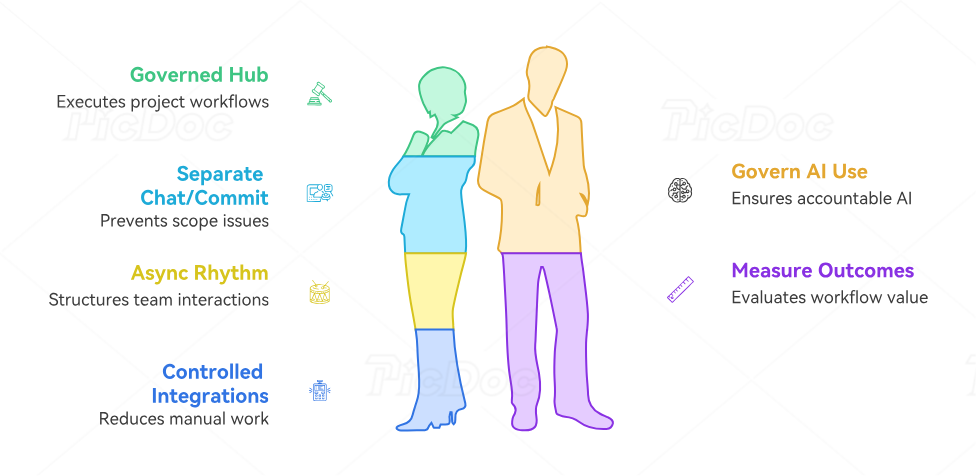
The work hub should contain deliverables, owners, dates, dependencies, risks, and status logic. It functions as the execution layer for Agile delivery, Scrum workflows, Kanban systems, Waterfall planning, or a controlled hybrid project approach.
Every item should answer five questions: What outcome is required? Who owns it? When is it due? What must happen first? What evidence proves completion? A task without these fields creates the appearance of control while transferring uncertainty to the person performing the work.
4.2 Separate Conversation From Commitment
Chat is ideal for rapid clarification, lightweight coordination, social connection, and urgent escalation. Formal commitments require durable records. When a conversation changes scope, budget, schedule, risk exposure, or acceptance criteria, the owner should update the relevant requirements baseline, financial control record, schedule model, or risk response plan.
This distinction prevents “silent scope,” invisible approvals, and arguments based on conflicting recollections. It also makes project audits, vendor reviews, and project closure more defensible.
4.3 Design an Asynchronous Operating Rhythm
Remote teams need a written rhythm for daily progress, weekly delivery review, risk escalation, planning, retrospectives, and executive reporting. Each interaction should specify its purpose, participants, inputs, outputs, owner, and time expectation.
A practical asynchronous update includes completed outcomes, current priorities, blockers, decisions required, dependency changes, and forecast movement. This format supports accurate project reporting, improves resource allocation, strengthens Agile metrics, and protects time for focused delivery.
4.4 Connect Systems Through Controlled Integrations
Integrations should remove verified manual handoffs. Useful examples include creating a delivery task from an approved request, updating a portfolio dashboard when milestones change, notifying procurement when a vendor dependency becomes critical, or creating a risk entry from a threshold breach.
Every integration needs an owner, source system, destination system, trigger, field mapping, error alert, retry logic, and audit trail. These controls turn project management APIs into reliable infrastructure. They also reduce problems associated with software fragmentation, cloud platform expansion, and uncontrolled digital transformation.
4.5 Govern AI as a Project Participant
AI can summarize meetings, search project knowledge, draft updates, classify requests, identify risks, and recommend actions. Each use case needs defined input boundaries, approved data sources, validation rules, escalation criteria, and a human accountable for the final output.
A summary can suggest actions. The meeting owner verifies them. An AI search tool can surface previous decisions. The project manager confirms their currency and applicability. An agent can prepare a status report. The workstream leads validate progress, forecast, and risk statements before distribution.
This operating model links AI adoption, machine-learning forecasting, project automation, and future PM competencies with accountable delivery.
4.6 Measure Workflow Outcomes
Adoption metrics should move through four levels:
Access: licensed users, provisioned accounts, and approved devices.
Usage: active users, feature utilization, and recurring workflows.
Behavior: documented decisions, structured handoffs, automated updates, and current records.
Outcomes: faster cycle time, fewer missed dependencies, improved forecast accuracy, reduced meeting hours, and lower rework.
This hierarchy gives the PMO, finance, IT, and business leadership a shared method for evaluating software investment, governance effectiveness, and portfolio value.
5. A 90-Day Plan for Converting Software Licenses Into Delivery Performance
Days 1–15: Map the Real Collaboration Environment
Begin with workflow discovery. Inventory every approved and unofficial tool used for messaging, meetings, files, tasks, documentation, reporting, whiteboarding, automation, and AI. Record the owner, user group, cost, integration points, data classification, and business purpose.
Then trace five high-value workflows from request to outcome. Suitable candidates include requirements approval, risk escalation, status reporting, vendor onboarding, and change control. Identify where information is copied, re-entered, delayed, reformatted, or lost.
This phase should expose duplicate task-management systems, conflicting reporting processes, unsupported software integrations, undocumented governance exceptions, and unmanaged communication channels.
Days 16–30: Define the Collaboration Operating Model
Choose the authoritative system for tasks, documents, decisions, risks, approvals, schedules, and portfolio reporting. Define which activities belong in chat, email, meetings, project tools, and knowledge systems.
Create a short collaboration charter covering:
Channel purpose and naming rules
Expected response windows
Escalation thresholds
Meeting-entry criteria
Documentation ownership
Time-zone handoff requirements
Guest-access controls
AI validation responsibilities
Retention and archiving rules
The charter should align with project leadership practices, conflict-resolution protocols, ISO-oriented controls, and stakeholder engagement expectations.
Days 31–60: Redesign Three High-Friction Workflows
Avoid attempting an enterprise-wide redesign at once. Select three workflows with visible pain and measurable consequences.
A strong first workflow is decision management. Create a standard record containing the decision, date, owner, approver, options considered, rationale, affected deliverables, and review date.
A second is time-zone handoff management. Require completed work, current state, blockers, pending decisions, relevant links, and the next accountable owner. Measure clarification messages and elapsed time between handoff and productive continuation.
A third is status reporting automation. Pull verified milestones, risks, actions, budget signals, and dependencies from operational systems. Apply earned value concepts, project financial controls, monitoring terminology, and Agile delivery metrics according to the methodology used.
Training during this phase should happen inside live workflows. Generic feature tours create low retention. Role-based practice gives users an immediate reason to change behavior.
Days 61–90: Measure Outcomes and Remove Redundancy
Evaluate the redesigned workflows against a baseline. Useful metrics include:
Time from issue identification to accountable ownership
Percentage of decisions linked to affected work
Hours spent preparing status reports
Number of duplicate tools performing the same function
Percentage of tasks containing complete ownership and acceptance data
Meeting hours per completed decision
Handoff clarification volume
Forecast accuracy
Rework caused by missing or outdated information
Cost per successful collaboration workflow
Review results through the PMO effectiveness model, portfolio governance process, resource planning framework, and software investment review.
Retire tools whose functions are duplicated, whose data cannot be governed, or whose workflows create more manual reconciliation than measurable value. Preserve specialist platforms where they serve a distinct requirement, such as construction project management, event project delivery, education project management, or regulated procurement workflows.
The 90-day target is operational proof: fewer duplicate updates, faster handoffs, stronger traceability, cleaner portfolio data, and higher-confidence decisions. Those outcomes provide a credible basis for scaling automation, AI search, process mining, and advanced project management software capabilities.
6. Frequently Asked Questions About Collaboration Software Adoption
-
Team messaging, video meetings, cloud documents, file sharing, calendars, and task boards show the highest maturity because they support frequent, universal activities. Their strategic value depends on connections with project execution, requirements management, risk registers, and project reporting. Mature teams convert conversations into governed actions. Less mature teams accumulate messages, recordings, and files without creating dependable delivery records.
-
The correct number depends on workflow complexity, security requirements, external partners, and specialist delivery needs. A useful stack usually covers communication, meetings, documents, structured work management, knowledge, reporting, and automation. Each additional application should provide a distinct capability or material workflow advantage.
Evaluate overlap through a software market assessment, integration requirements through an API review, communication needs through a platform comparison, and workflow requirements through relevant project templates.
-
Measure access, usage, behavior, and business outcomes separately. Access covers licenses and provisioning. Usage covers active users and feature activation. Behavior covers actions such as documenting decisions, maintaining current risks, completing handoffs, and automating reports. Outcomes cover cycle time, forecast accuracy, meeting hours, rework, delivery predictability, and stakeholder response.
A complete scorecard can combine Agile metrics, earned value measures, project financial indicators, quality-management measures, and PMO effectiveness data.
-
Tool sprawl usually develops through decentralized purchasing, team-level preferences, acquisitions, temporary project needs, missing architecture standards, and weak retirement processes. Different departments select tools independently, then create manual bridges between them. Shadow systems emerge when approved platforms cannot support a critical workflow quickly enough.
Control begins with a capability inventory, approved integration architecture, clear software governance, documented vendor-management criteria, and regular portfolio-level technology reviews.
-
Remote teams should use asynchronous collaboration for status updates, routine questions, documentation, reviews, handoffs, and information sharing. Synchronous interaction adds the most value during complex decisions, sensitive conflict, live problem-solving, negotiations, and creative workshops.
The balance should support strong project communication, consistent stakeholder engagement, controlled sprint planning, and reliable project monitoring. Async communication becomes effective when updates contain context, ownership, dates, links, and an explicit requested action.
-
Each AI use case should define approved data sources, restricted information, output validation, human ownership, escalation rules, retention requirements, and auditability. Meeting summaries require human confirmation. AI-generated status reports require workstream validation. Search answers require source references and freshness checks. Automated actions require boundaries and exception handling.
Governance should evolve alongside AI project management adoption, machine-learning estimation, workflow automation, and emerging future project manager skills.
