
Comparative Analysis: Trello vs. Basecamp for Small Teams
Choosing between Trello and Basecamp is really a decision about how your small team handles work pressure: visual task movement, client communication, file control, approvals, status updates, and daily accountability. Trello gives small teams a flexible board-first workflow with cards, lists, automations, Power-Ups, and advanced views on paid plans; Basecamp gives teams a calmer all-in-one workspace with messages, to-dos, schedules, files, chat, reports, and client-friendly collaboration. Trello’s official pricing page lists Free, Standard, Premium, and Enterprise tiers, while Basecamp lists a per-user plan and a fixed-price Pro Unlimited option.
1. Trello vs. Basecamp: The Real Small-Team Difference
Trello fits teams that think visually, move work through stages, and need a lightweight system for tracking tasks across Kanban workflows, Agile project management tools, sprint planning, and project execution. A small marketing team, design studio, content operation, software pod, recruiting team, event team, or operations group can turn Trello cards into mini work packets with owners, due dates, checklists, comments, labels, attachments, and automation rules. That makes Trello especially useful when the team’s biggest pain is visibility: nobody knows what is stuck, what is next, what changed, or which task is quietly aging inside someone’s inbox.
Basecamp fits small teams that need one calm place for communication, accountability, client updates, files, schedules, and project decisions. Its strength is less about moving cards across many views and more about reducing scattered work across email, Slack-style chat, document folders, status meetings, and task lists. Basecamp’s official pages describe core tools such as Message Boards, To-dos, Card Tables, Campfires, Pings, Scheduling, Docs & Files, Reports, and Automatic Check-ins, while its home page positions Basecamp as a replacement for separate chat, task, and file tools. That matters for small teams dealing with stakeholder communication, project reporting, team building, and leadership communication.
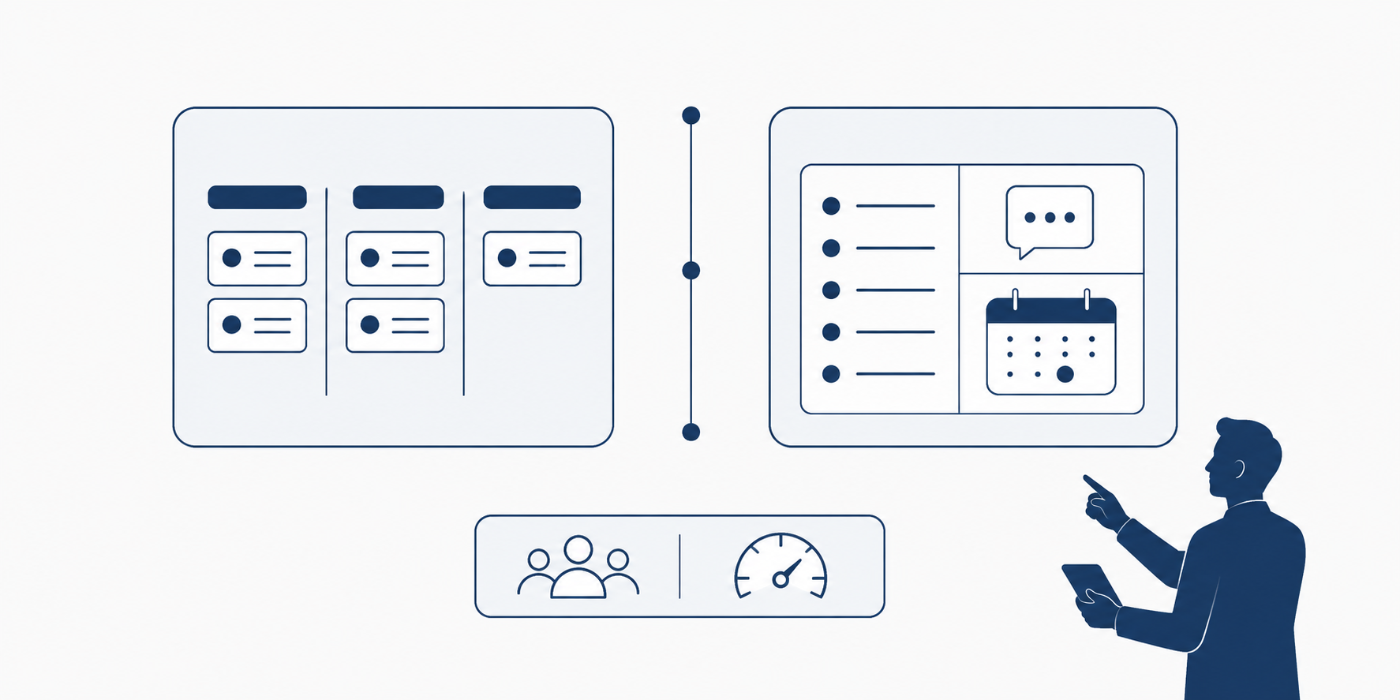
The simplest comparison is this: Trello is stronger when the work itself needs visual flow; Basecamp is stronger when the project environment needs fewer communication leaks. Trello helps teams see task movement; Basecamp helps teams keep conversations, decisions, files, and follow-ups from splitting across five tools. A team that constantly asks “Where is this task?” may feel relief inside Trello. A team that constantly asks “Where was that decision discussed?” may feel relief inside Basecamp. This is the difference between task-board control and project-home control, which connects directly to project monitoring, project closure, issue tracking, and project success factors.
| Comparison Area | Trello Is Stronger When... | Basecamp Is Stronger When... | Small-Team Risk | Decision Signal |
|---|---|---|---|---|
| Work visibility | Your team needs cards moving through clear stages like To Do, Doing, Review, and Done. | Your team needs one project home where tasks, messages, files, schedules, and updates live together. | Hidden work | Choose based on whether the pain is task flow or project context. |
| Setup speed | You want a fast board that can start with a few lists and grow over time. | You want a structured project space with communication tools already separated. | Slow rollout | Trello feels faster for board-first teams; Basecamp feels faster for communication-heavy teams. |
| Task tracking | Tasks need labels, card movement, visual priority, checklists, due dates, and custom workflow stages. | Tasks need direct accountability inside a broader project workspace with discussions nearby. | Missed ownership | Trello wins for visual task operations; Basecamp wins for task-plus-context clarity. |
| Client collaboration | Clients only need light visibility into selected boards, lists, or cards. | Clients need structured updates, messages, files, decisions, and less tool confusion. | Client confusion | Basecamp usually feels cleaner for client-service teams. |
| Communication control | Your team mainly communicates inside cards about specific tasks. | Your team needs message boards, group chat, direct pings, check-ins, and project-wide announcements. | Scattered decisions | Basecamp is stronger when communication is the main failure point. |
| Kanban workflow | Your team depends on visual status movement, WIP awareness, and drag-and-drop task flow. | Your team wants Kanban-style tracking as one part of a wider project hub. | Status fog | Trello is the cleaner Kanban-first choice. |
| Meeting reduction | Your team can replace some meetings with board updates and automation rules. | Your team can replace more meetings with automatic check-ins, message boards, and reports. | Meeting overload | Basecamp is stronger when updates need structure beyond cards. |
| File handling | Files are attached to specific tasks, assets, bugs, requests, or review cards. | Files need to sit inside a project workspace with discussions and decisions around them. | Version confusion | Pick Trello for task-level files; pick Basecamp for project-level files. |
| Reporting | Your team needs visual boards, dashboards, timeline views, calendar views, or table views on eligible plans. | Your team needs status summaries, check-ins, project activity, and simpler progress communication. | Weak status signals | Trello is stronger for visual reporting; Basecamp is stronger for narrative status clarity. |
| Automation | Your team wants rule-based movement, reminders, recurring actions, and workflow triggers. | Your team wants fewer moving parts and more built-in routine communication. | Manual chasing | Trello is stronger when automation is central. |
| Integrations | Your team wants Power-Ups and connections to outside tools. | Your team wants to reduce the number of outside tools in the first place. | Tool sprawl | Trello supports extension; Basecamp supports consolidation. |
| Learning curve | Your team already understands boards, lists, cards, labels, and drag-and-drop workflows. | Your team prefers a guided project space with obvious places for updates, tasks, files, and schedules. | Low adoption | Choose the interface your least technical teammate will maintain. |
| Complex projects | Your complexity comes from task dependencies, multiple boards, views, labels, and automation. | Your complexity comes from people, messages, decisions, clients, files, and recurring updates. | Process breakdown | Complexity type should decide the tool. |
| Small agency use | Agency work moves through production stages such as brief, draft, review, approved, and published. | Agency work needs client-facing spaces, discussions, approvals, files, and project updates. | Approval delays | Many agencies may prefer Basecamp for client work and Trello for production flow. |
| Software teams | The team needs bug boards, sprint boards, feature cards, backlog flow, and release checklists. | The team needs broader project communication around product decisions and documentation. | Backlog disorder | Trello fits lightweight development tracking better. |
| Marketing teams | Campaign tasks need statuses, due dates, content cards, review columns, and asset tracking. | Campaign teams need message boards, files, launch conversations, and stakeholder updates together. | Launch confusion | Choose Trello for production boards; Basecamp for campaign coordination hubs. |
| Remote teams | Remote work needs transparent task ownership and visible progress without constant pings. | Remote work needs calmer async communication, check-ins, files, schedules, and discussions. | Async drift | Basecamp is strong for async culture; Trello is strong for async task movement. |
| Budget predictability | Costs scale by plan and number of users, which can stay lean for tiny teams. | Costs can be per user or fixed under Pro Unlimited for larger growing teams. | Pricing surprise | Model your 6-month and 18-month headcount before choosing. |
| Executive visibility | Leaders want dashboards, timelines, board summaries, and visual status. | Leaders want plain-language updates, reports, check-ins, and project messages. | Leadership blind spots | Match reporting style to the decision-maker’s habits. |
| SOP building | Standard workflows can become reusable boards and card templates. | Standard project spaces can become repeatable client or department templates. | Reinvented work | Both work; Trello templates feel task-based, Basecamp templates feel project-based. |
| Approval tracking | Approvals happen on cards with comments, labels, checklists, and due dates. | Approvals happen through message threads, to-dos, files, and project updates. | Approval ambiguity | Trello is sharper for item-level approval; Basecamp is clearer for discussion-led approval. |
| Cross-functional work | Departments can use separate boards and mirror or connect work where needed. | Departments can work inside shared project spaces with fewer separate tools. | Siloed updates | Trello needs board discipline; Basecamp needs communication discipline. |
| Risk tracking | Risks can become cards with owners, labels, checklists, and escalation dates. | Risks can be discussed through messages, to-dos, docs, and check-ins. | Unowned risk | Trello is better for visible risk boards; Basecamp is better for risk discussion trails. |
| Resource planning | Card assignments and board views show who owns what, especially with disciplined labels and due dates. | To-dos and project spaces show accountability within each project context. | Overloaded teammates | Trello can show workload patterns more visually. |
| Decision records | Decisions can live in card comments, but they require naming discipline. | Message boards and project discussions make decisions easier to find later. | Lost rationale | Basecamp is stronger when decision history matters. |
| Governance | Boards, templates, labels, permissions, and automations need a clear owner. | Projects, message norms, file rules, client access, and check-ins need a clear owner. | Tool decay | Both tools fail without operating rules. |
| Best-fit team | Small teams that run task-heavy, flow-heavy, deadline-heavy work. | Small teams that run communication-heavy, client-heavy, documentation-heavy work. | Wrong-tool adoption | Pick the tool that solves your daily pain, not the one with the flashier demo. |
| Final verdict | Best when visual workflow is the heart of the team’s operating system. | Best when the team needs one calmer home for projects, people, files, and updates. | Misaligned workflow | Trello organizes movement; Basecamp organizes context. |
2. Feature-by-Feature Comparison: Where Trello Wins and Where Basecamp Wins
Trello wins on visual workflow management because its boards, lists, and cards make work status obvious at a glance. This is valuable for small teams using Kanban terms, Agile estimation techniques, product backlog planning, and Agile metrics. Trello’s pricing page lists unlimited cards on all tiers, up to 10 boards per Workspace on the Free plan, unlimited boards on Standard and above, built-in automation across plans, and Premium views such as Calendar, Timeline, Table, Dashboard, and Map.
Basecamp wins on project context because it gives teams a dedicated space for messages, to-dos, schedules, documents, files, group chat, direct messages, automatic check-ins, and reports. For small teams drowning in “Where is that file?” and “Who approved that?” Basecamp can reduce the cost of fragmented communication. That matters in project communication terms, project reporting practices, stakeholder management, and conflict resolution, where the hidden pain is often missing context instead of missing effort.
Trello is stronger for teams that build repeatable production pipelines. A content team can create cards for article briefs, drafts, edits, approvals, design, publishing, and reporting. A software team can create cards for bugs, enhancements, experiments, QA, and releases. A recruiting team can create cards for applicants, interviews, assessments, references, offers, and onboarding. Every workflow can be visible, color-coded, and filtered. This makes Trello a practical fit for teams learning Scrum roles, sprint planning, project scheduling, and resource allocation.
Basecamp is stronger for teams that sell, deliver, or coordinate projects with clients. Client-service work fails when feedback, files, decisions, and deadlines split across email, chat, spreadsheets, and calls. Basecamp’s all-in-one structure gives small agencies, consultants, nonprofits, educational teams, and professional services firms a cleaner place to host the project conversation. This is valuable for work tied to project management consulting, freelance project management, remote project management, and PM leadership communication.
The feature decision should start with the team’s recurring failure pattern. If tasks keep getting stuck, Trello’s visual cards, labels, due dates, checklists, automations, and views can expose blockers faster. If conversations keep getting lost, Basecamp’s message boards, to-dos, schedules, files, and check-ins can create a steadier project memory. This same diagnostic mindset appears in project failure root-cause analysis, Agile project failure lessons, project success drivers, and software feature analysis.
3. Pricing, Adoption, Governance, and Small-Team ROI
Pricing comparison should include actual team behavior, not just subscription math. Trello’s official pricing page lists Free at $0 for up to 10 collaborators per Workspace, Standard at $5 per user per month billed annually, Premium at $10 per user per month billed annually, and Enterprise at $17.50 per user per month billed annually. Basecamp’s pricing page lists a $15/user-per-month plan for smaller teams and a Pro Unlimited plan at $299/month billed annually for the whole organization, with fixed pricing and no per-user fees. A five-person team may find Trello cheaper at first, while a growing organization may prefer Basecamp’s fixed-price model once user count, guests, and collaboration needs expand.
Small-team ROI depends on what the tool replaces. Trello may replace status spreadsheets, personal task lists, whiteboards, and scattered reminder systems. Basecamp may replace a combination of team chat, client email threads, project folders, status check-ins, and task tools. This difference matters for teams evaluating project management software, resource allocation software, issue tracking platforms, and workforce management software. A cheaper tool becomes expensive when the team still needs three extra systems to cover its gaps.
Adoption is usually the deciding factor for small teams. Trello adoption succeeds when everyone agrees on board structure, card naming, labels, due dates, “done” definitions, owners, and update frequency. Basecamp adoption succeeds when everyone agrees on where messages go, when to use to-dos, how to store files, how to involve clients, and how automatic check-ins should replace meetings. The tool is only as strong as the behavior around it. That is why rollout planning should borrow from team building terminology, human resource management in PM, project governance trends, and future PM competencies.
Governance looks different in each tool. Trello needs rules for board ownership, list structure, card templates, automation limits, Power-Up usage, label meaning, archive frequency, and workspace permissions. Basecamp needs rules for project creation, client access, message categories, file naming, to-do assignment, schedule discipline, and check-in cadence. Small teams often ignore governance because they feel informal, but informal teams suffer fastest from tool clutter. Good governance supports project monitoring and control, quality management, ISO standards thinking, and project closure.
The real ROI question is painfully practical: which tool prevents the most expensive failure your team repeats? If your team misses deadlines because tasks are hidden, Trello will likely create faster improvement. If your team loses time because decisions, updates, and files are scattered, Basecamp will likely create faster relief. If your team has both problems, you may need a primary platform and a strict workflow design, rather than hoping any software will fix weak operating habits. That same discipline shows up in project success research, certification impact research, project failure research, and PMO success predictions.
4. Which Tool Fits Each Small-Team Workflow Best
For a small marketing team, Trello is usually stronger when the workflow is campaign production. Cards can represent blog posts, ad creatives, landing pages, videos, newsletters, social assets, and launch tasks. Lists can show briefed, drafting, design, review, approved, scheduled, and published. Labels can separate campaign type, channel, urgency, or client. This fits well with project execution terms, Agile tools, Kanban software, and essential Agile metrics. Basecamp becomes stronger when the same marketing team needs client approvals, project discussions, campaign files, status updates, and feedback history in one place.
For a small software or product team, Trello is useful for lightweight backlog control, bug triage, feature tracking, QA stages, release checklists, sprint boards, and roadmap visibility. A tiny team can use a board without the overhead of a heavier enterprise system, especially when the work is simple enough to manage through cards and stages. Basecamp fits product teams when the larger challenge is decision clarity, customer feedback context, internal announcements, launch coordination, and cross-functional discussion. This is the same practical split seen across Scrum master training, product owner career paths, Agile coach development, and Agile consultant roadmaps.
For a small consulting, coaching, agency, or professional services team, Basecamp often has the advantage because client-facing clarity matters as much as internal task movement. The team needs messages, files, to-dos, schedules, updates, and decisions organized by project. Clients need confidence without being forced into a complex board system. Trello can still work well behind the scenes for production tracking, especially when deliverables move through repeatable stages. The smartest small firms often separate client communication from internal production discipline, using thinking from project management consultancy, freelance PM careers, remote PM roles, and stakeholder engagement.
For an operations team, the right tool depends on whether the work is recurring or conversational. Trello is better for repeatable processes such as onboarding, procurement requests, inventory tasks, compliance checklists, maintenance items, hiring stages, or vendor follow-ups. Basecamp is better for cross-functional coordination where messages, approvals, files, and schedules matter more than card movement. Operations teams should decide based on the control problem they face: workflow throughput or coordination clarity. That maps closely to procurement terms, vendor management, risk mitigation, and risk registers.
For remote small teams, Basecamp’s async structure can reduce noise because message boards, check-ins, pings, schedules, files, and to-dos create calmer communication lanes. Trello can also work remotely when everyone updates cards properly, uses due dates consistently, and respects board hygiene. Remote failure usually comes from half-adoption: some teammates update the tool, some use chat, some use email, and some keep private lists. The tool choice should support one operating rhythm. This connects directly to remote project management, team communication, project reporting, and future work trends.

5. Implementation Playbook: How Small Teams Should Choose and Roll Out Trello or Basecamp
Start with a failure audit. Ask the team where work breaks: unclear ownership, missed deadlines, late approvals, scattered feedback, duplicate files, invisible blockers, status meeting overload, client confusion, poor handoffs, or weak reporting. Then match the tool to the dominant pain. If the failure is visual flow, choose Trello first. If the failure is communication context, choose Basecamp first. This prevents tool-shopping from becoming a distraction and aligns your choice with project failure root causes, project success analysis, project monitoring, and project governance.
Run a two-week pilot with one real project. In Trello, build one board with clear lists, labels, card templates, owners, due dates, checklists, and weekly review rules. In Basecamp, build one project with message categories, to-do lists, schedule milestones, file folders, check-ins, client-access rules, and update expectations. The pilot should test whether people naturally maintain the system under pressure. A tool that looks good during setup but collapses during delivery will damage team trust. This rollout method borrows from project initiation, project scheduling, resource allocation, and team building.
Create operating rules before inviting everyone. For Trello, define what every list means, when cards move, who updates due dates, how labels are used, what belongs in comments, when cards are archived, and how blocked work is escalated. For Basecamp, define what belongs in messages, what belongs in to-dos, where files go, how clients are included, when check-ins happen, and how decisions are summarized. These rules keep the platform from turning into digital clutter. Strong rules support quality management, total quality management, communication terms, and project closure.
Assign a tool owner. Small teams often assume everyone will maintain the system because everyone needs it. That assumption is where tools decay. Trello needs someone to watch board hygiene, template quality, stale cards, automation rules, and reporting views. Basecamp needs someone to watch project structure, client access, file order, check-ins, and message discipline. The tool owner is not a babysitter; they protect the operating system. This role requires habits connected to PM leadership, project manager career roadmaps, PM director skills, and portfolio manager discipline.
Review the tool after 30 days using evidence. Look at overdue work, missed handoffs, client questions, meeting time, update quality, decision clarity, file retrieval speed, and team adoption. Trello should reduce hidden tasks and unclear status. Basecamp should reduce scattered communication and missing project context. If the tool is failing, diagnose setup before blaming the platform. Most small-team software failures come from vague rules, overcomplicated structures, unclear ownership, and inconsistent usage. A mature review process connects to issue tracking, project reporting, project closure concepts, and PMO improvement.
6. FAQs About Trello vs. Basecamp for Small Teams
-
Trello is better for small teams that need visual task movement, clear workflow stages, simple Kanban boards, labels, due dates, checklists, and automation. It is especially strong for production-heavy work where progress needs to be seen quickly. Basecamp is better for small teams that need one place for messages, tasks, schedules, files, project updates, and client collaboration. The better choice depends on whether your team’s main pain is workflow visibility or communication context. That decision should be made using Kanban terms, project communication terms, project monitoring, and project success factors.
-
Basecamp can feel easier for clients because it organizes communication, files, tasks, schedules, and updates inside project spaces instead of asking clients to understand board mechanics. Trello can work with clients when the workflow is simple and visual, but it can create confusion if clients are unsure where to comment, approve, or find files. Client-heavy teams should prioritize communication clarity, approval trails, and project memory. That makes Basecamp attractive for consulting teams, freelance project managers, stakeholder engagement, and project reporting.
-
Trello can be cheaper for very small teams because it has a Free plan and lower per-user paid tiers. Basecamp’s per-user plan may be straightforward for smaller teams, while Basecamp Pro Unlimited can become attractive as the organization grows because it uses a fixed monthly price billed annually. The right answer depends on team size, guest access, storage needs, paid features, and whether the tool replaces other subscriptions. Pricing should be reviewed alongside project budgeting terms, cost management terms, financial management terms, and software feature analysis.
-
Trello can replace Basecamp for teams that mainly need visual task tracking, workflow boards, task comments, automation, and simple project visibility. It becomes less suitable as the team needs richer project discussions, client-friendly communication, structured file spaces, automatic check-ins, and broader project memory. A Trello board can organize work beautifully, but the team still needs rules for where decisions, documents, announcements, and client conversations live. This is why teams should evaluate project execution, communication techniques, quality management, and project closure.
-
Basecamp can replace Trello for teams that need project spaces, task lists, schedules, files, message boards, chat, check-ins, and client communication in one place. It may feel less sharp for teams that love detailed Kanban boards, many workflow stages, advanced visual views, automation-heavy processes, and highly customized task pipelines. Basecamp is strongest when the team wants fewer tools and calmer coordination. Trello is strongest when the board is the operating system. This comparison ties directly to Kanban software, Agile tools, remote project management, and project governance.
-
Basecamp is often stronger for remote teams that need asynchronous communication, check-ins, messages, files, schedules, and project-wide clarity. Trello is often stronger for remote teams that need visible task flow, simple prioritization, due dates, and workflow movement. Remote teams should choose based on their communication habits. If everyone updates cards and respects board rules, Trello works well. If the team needs fewer pings, clearer updates, and better project memory, Basecamp may fit better. This aligns with remote PM careers, future PM skills, team communication, and digital transformation.
